Tows
Last updated: February 9, 2026
Tows represent operational definitions that live under a parent Contract. They are used to define how pricing applies for specific assets.
A Contract may contain:
Multiple Tows
Tows with or without assigned assets
Tow contracts are typically used when pricing is asset-based rather than strictly route-based.
Viewing Tow Contracts
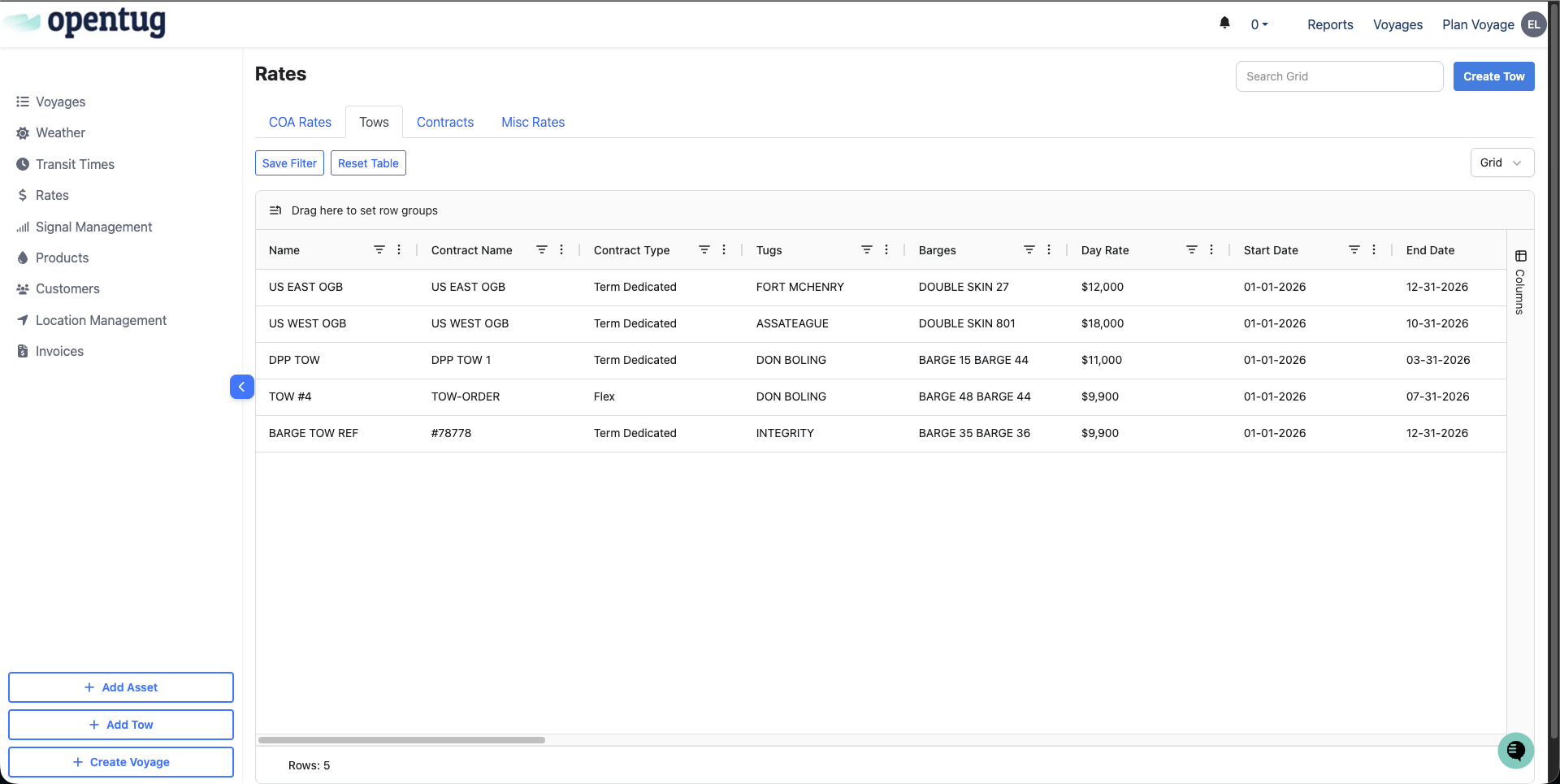
Tow contracts live under Rates → Tows.
From the Tows table, you can:
View all existing tow agreements
Filter by carrier or customer
Quickly identify active vs expired contracts
Creating a Tow
Navigate to Rates → Tows and select Create Tow, or create a Tow directly from an existing Contract.
Each Tow must be linked to a parent Contract, either by selecting an existing Contract or creating a new one.
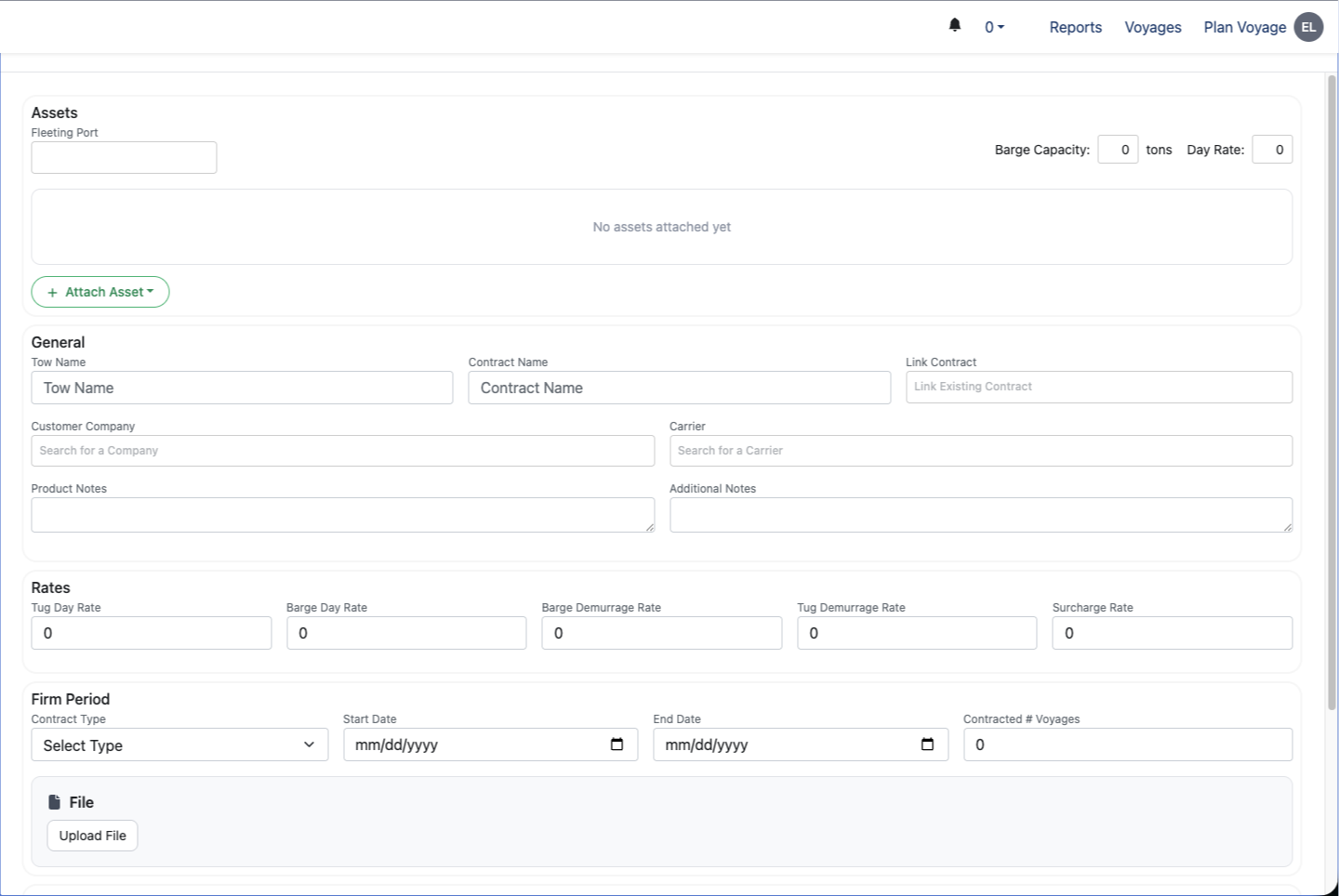
Assets
Assets are optional but allow Tow-level specificity.
You may attach:
Tugs
Barges
Tow-level asset configuration supports:
Asset-specific pricing
Capacity-based logic (e.g. barge capacity)
Operational matching during voyage creation
If no assets are attached, the Tow remains valid as a generic rate definition under the Contract.
General Information
Tow Name – Descriptive, operational name
Contract Name – Parent contract reference
Customer Company
Carrier
Product Notes / Additional Notes – Operational context
Rates
Rates defined at the Tow level are what apply during voyage planning:
Tug Day Rate
Barge Day Rate
Barge Demurrage Rate
Tug Demurrage Rate
Surcharge Rate
Tow rates may:
Mirror Contract-level defaults
Override Contract-level values
Be fully custom for a specific asset set
Firm Period
Used to define validity and volume commitments:
Contract Type (Term, COA, Spot, Flex)
Start / End Date
Contracted # of Voyages
File Upload (e.g. amendments or confirmations)
Options & Clauses
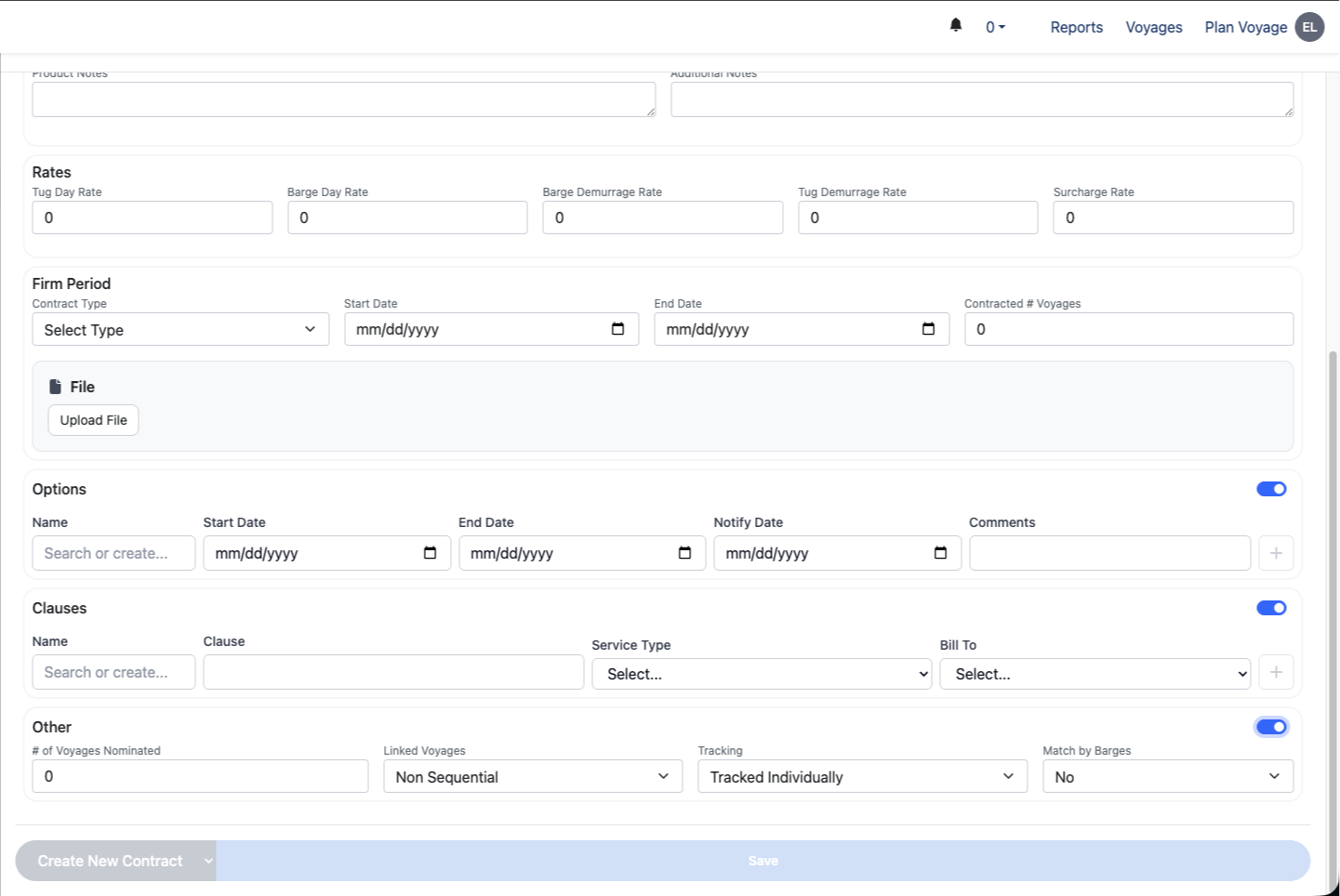
Options
Used for renewal tracking and milestones:
Start Date
End Date
Notify Date
Comments
Clauses
Used to store Tow-specific contractual language:
Clause Name & Text
Service Type
Bill To (Customer, Carrier, Third Party)
Other Settings
Additional operational controls include:
# of Voyages Nominated
Linked Voyages (Sequential vs Non-Sequential)
Tracking (Tracked Individually vs Grouped)
Match by Barges – Controls asset-matching behavior
Relationship Between Contracts and Tows
One Contract → Many Tows
Voyages reference Tows and associated Contract
Tow logic can diverge from Contract defaults
This allows multiple operational pricing setups without duplicating the commercial agreement.