Voyage Events Tab
Last updated: November 4, 2025
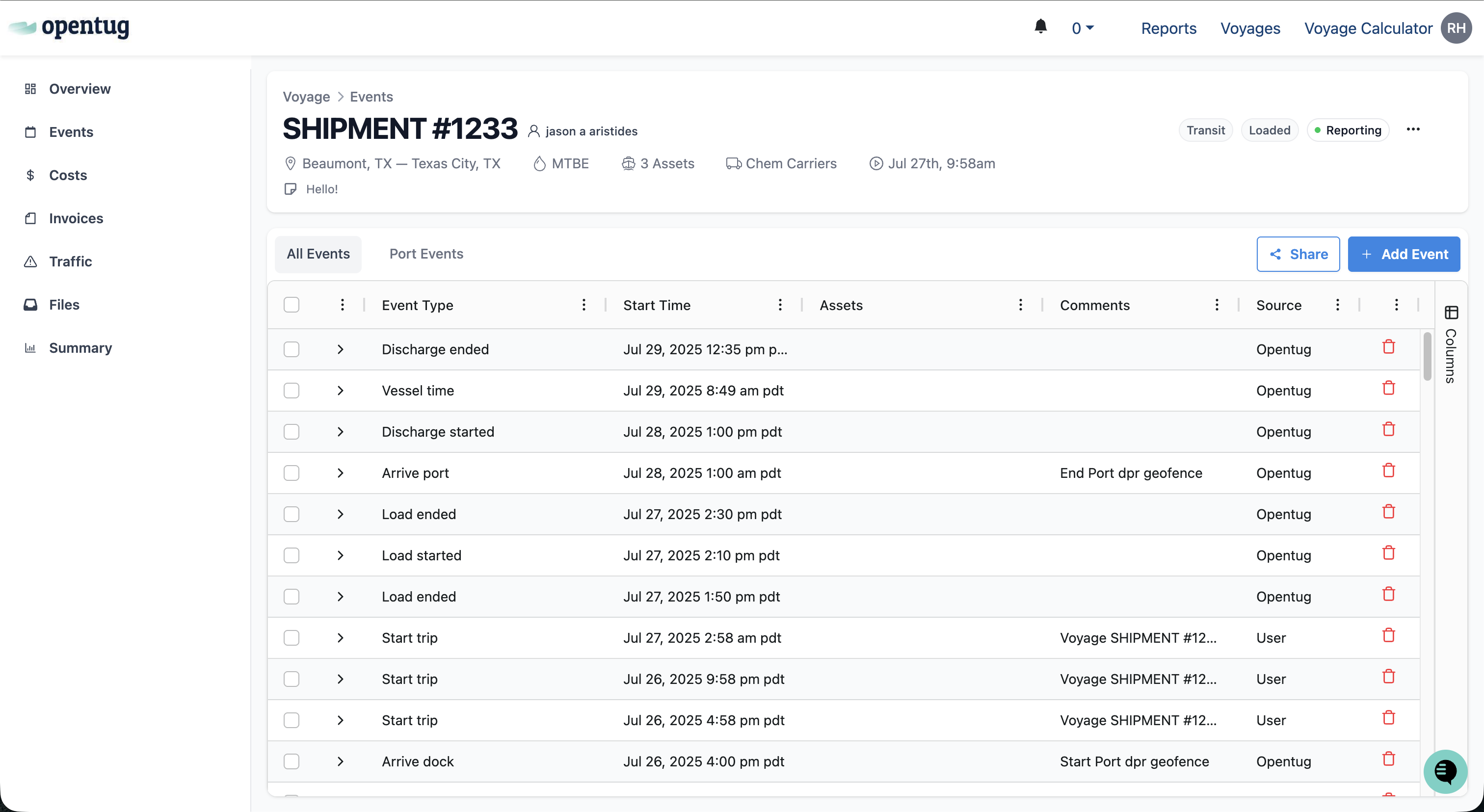
The Events tab displays a detailed history of all recorded events and milestones associated with a voyage. Events can be generated automatically by the system (for example, when a vessel departs a port geofence), manually created by users, or extracted from carrier traffic reports to track operational updates, customer changes, or other voyage-specific details.
Event History Table
The main section of the Events tab is the Event History table. Each row represents a single recorded event, along with key information such as:
Event Type – Defines the category of the event (e.g., Start Trip, Arrive Port, Vessel Time, Reconsign Customer, Discharge CP).
Start Time – The date and time the event occurred or is scheduled to occur.
Assets – The vessel or barge(s) associated with the event.
Comments – Additional context such as port actions, placement notes, or customer assignments.
Source – Displays where the event originated (e.g., User, OpenTug, or Carrier).
Each column can be sorted or filtered to help locate specific updates or time periods quickly.
All Events
Displays every event associated with the voyage.
Port Events
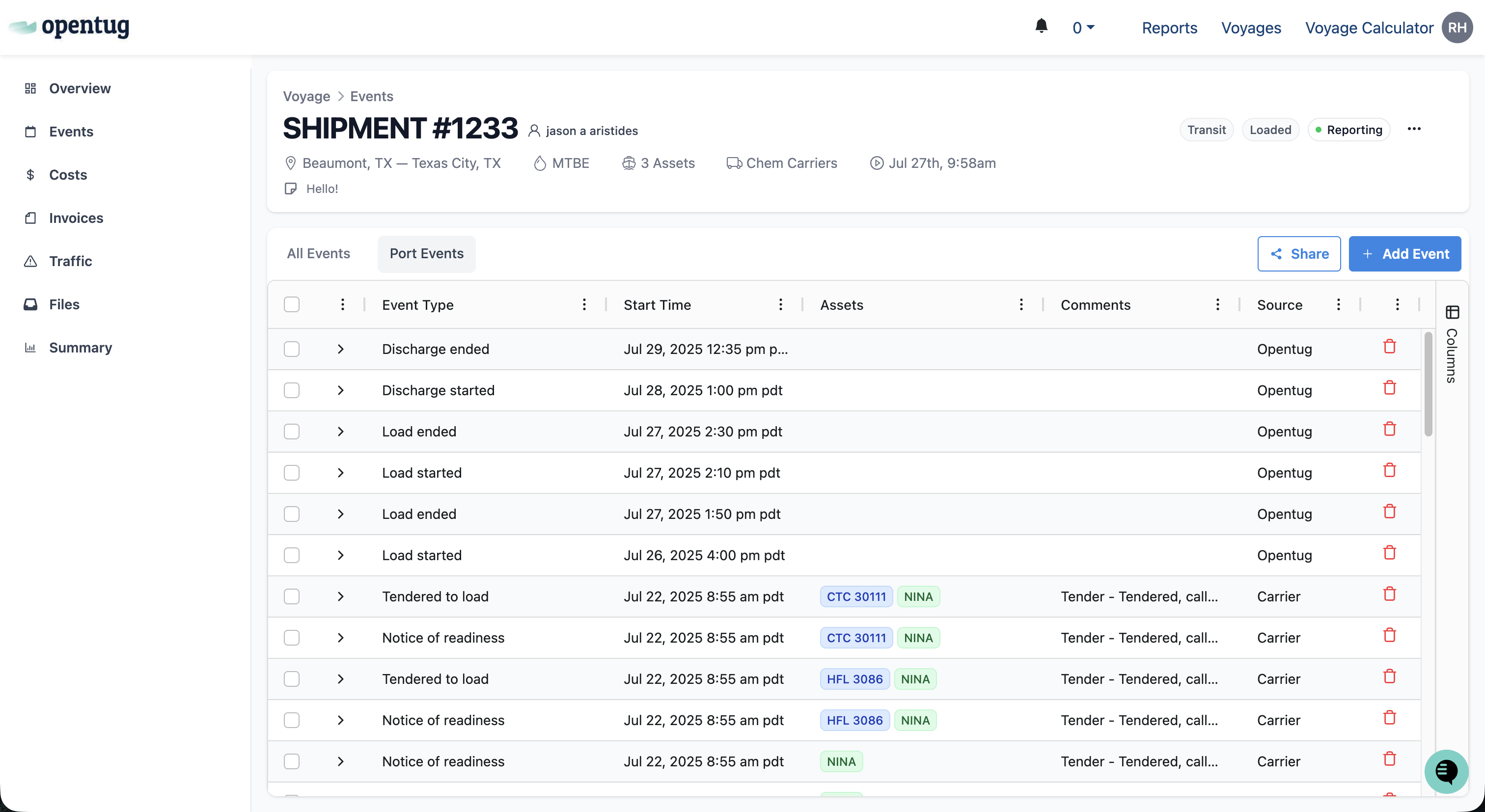
Filters the table to show only load and discharge-related events, such as:
This view provides a focused look at port activity, helping users monitor when cargo operations began and finished without unrelated system or storage events.
Adding an Event
To manually create an event:
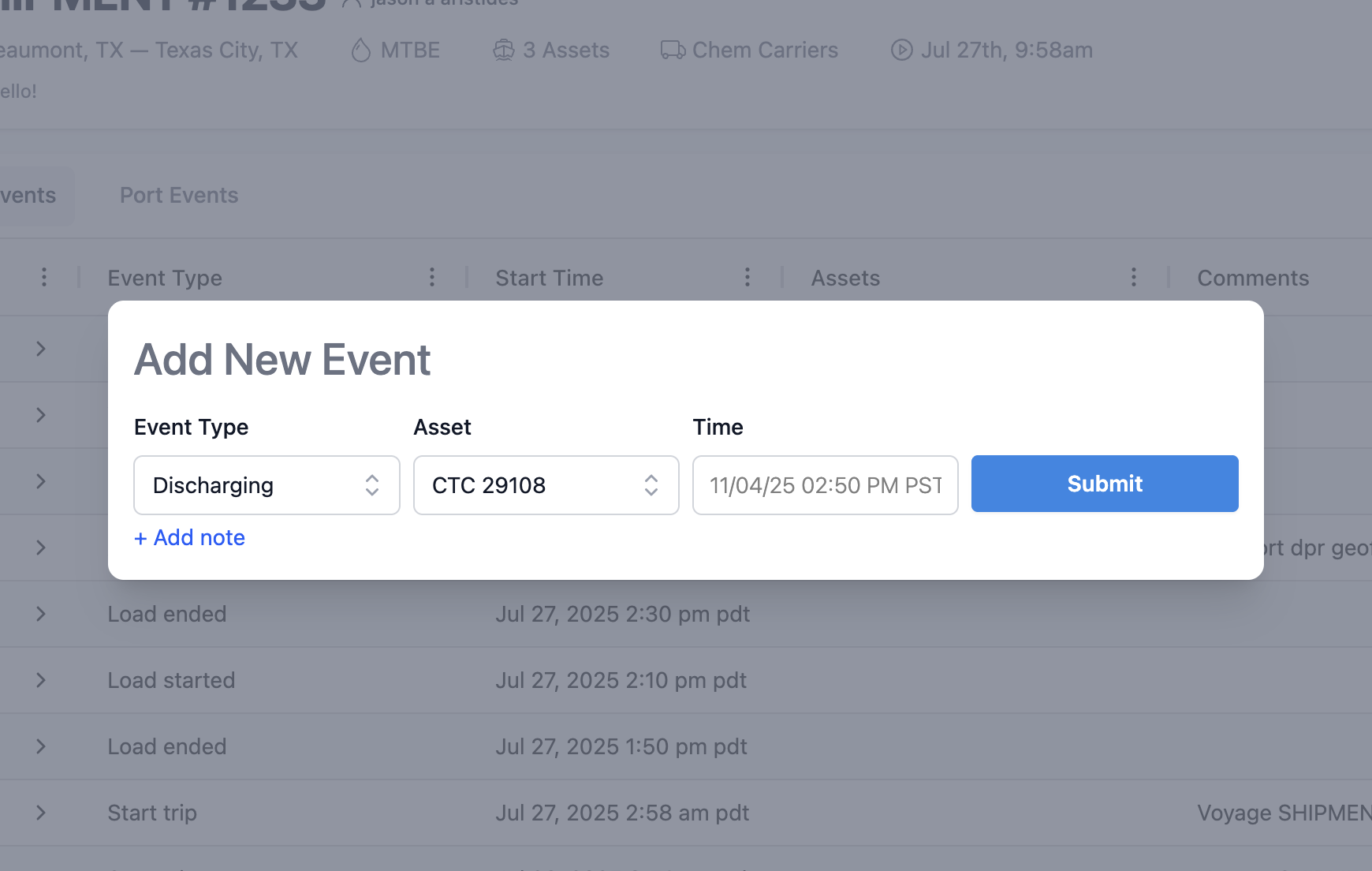
Click Add Event in the upper-right corner of the Events tab.
Select the Event Type from the dropdown list.
Select the Asset associated with the event
Enter a Start Time.
Click Submit to record the new event.
Once saved, the new event appears at the top of the Event History table with its details populated.
System-Generated Events
Certain events are automatically created and updated by OpenTug to reflect system activity.
Examples include:
Start Trip / Depart Port – Automatically triggered when a vessel leaves its port geofence.
Arrive Port – Created when a vessel enters a port geofence.
Vessel Time – Logged when AIS data updates vessel position.
Discharge / Load Started – Populated when a barge enters the load or discharge geofence.
System-generated events display OpenTug as the source and may include geofence- or carrier-reported timestamps.
Sharing Event Data
Click Share in the upper-right corner to export or distribute the current voyage’s event data.
This can include all event rows or only filtered subsets, useful for sending voyage progress updates or internal reports.