Voyage Details Overview
Last updated: May 19, 2026
The Overview tab provides a high-level overview of a voyage, consolidating data from other sections such as Events, Costs, Invoices, and Traffic.
It gives users a quick snapshot of voyage progress, live cost estimates, fuel usage, and recent operational updates.
General Info
At the top of the page, you’ll find:
Voyage Name and creator
Load and Discharge Ports
Associated Assets (tugs, barges, ships)
Assigned Customer
Assigned Carrier
Current Voyage Status (e.g., Load State, Reporting, Completed)
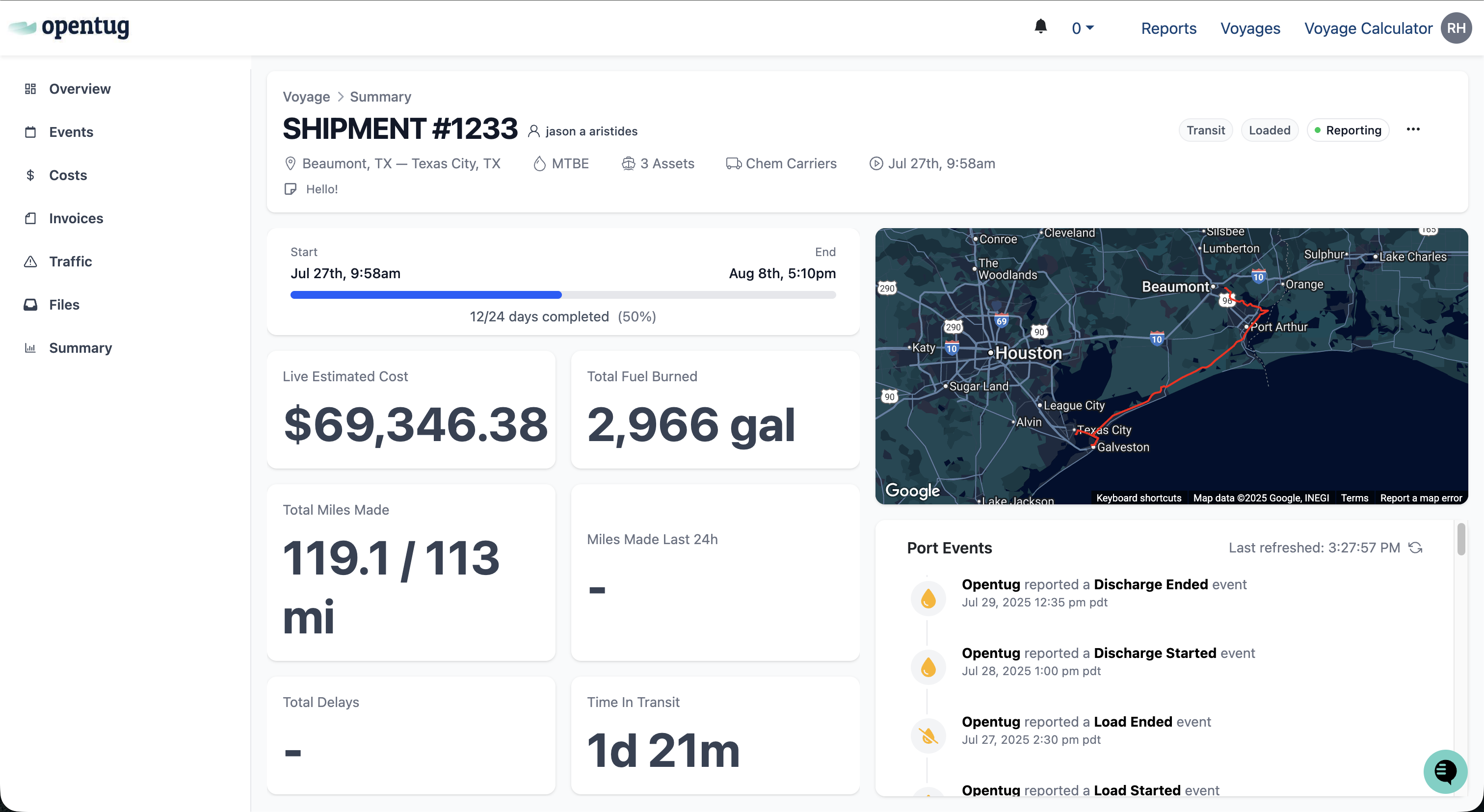
The action menu (three-dot icon in the upper right) allows you to perform voyage management tasks such as:
Starting or ending a voyage
Duplicate a voyage
Editing voyage details
Cancel / Delete voyage
Reassign the voyage owner
Sending voyage orders or quotes
Changing the active leg or voyage owner
View voyage note history
Key Metrics
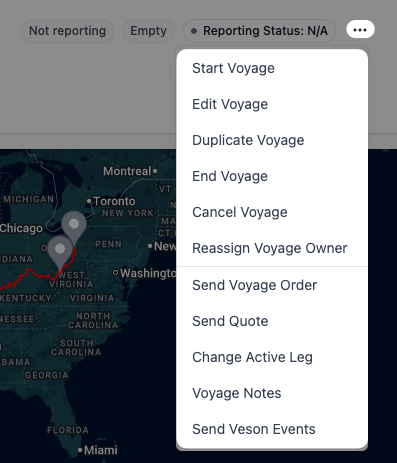
Below the voyage header, key figures summarize live voyage performance:
Live Estimated Cost shows the total voyage cost, updated automatically based on recorded events and cost data.
Total Fuel Burned tracks fuel consumption accumulated during the voyage.
Total Miles Made displays the total distance covered so far versus the planned distance.
Miles Made Last 24h indicates the distance traveled within the past 24 hours.
Total Delays highlights any recorded operational delays.
Time in Transit shows the total time spent actively moving since commencing the voyage.
All values are automatically refreshed as new voyage data becomes available.
Tabs within Voyage Details
Additional tabs within Voyage Details include: