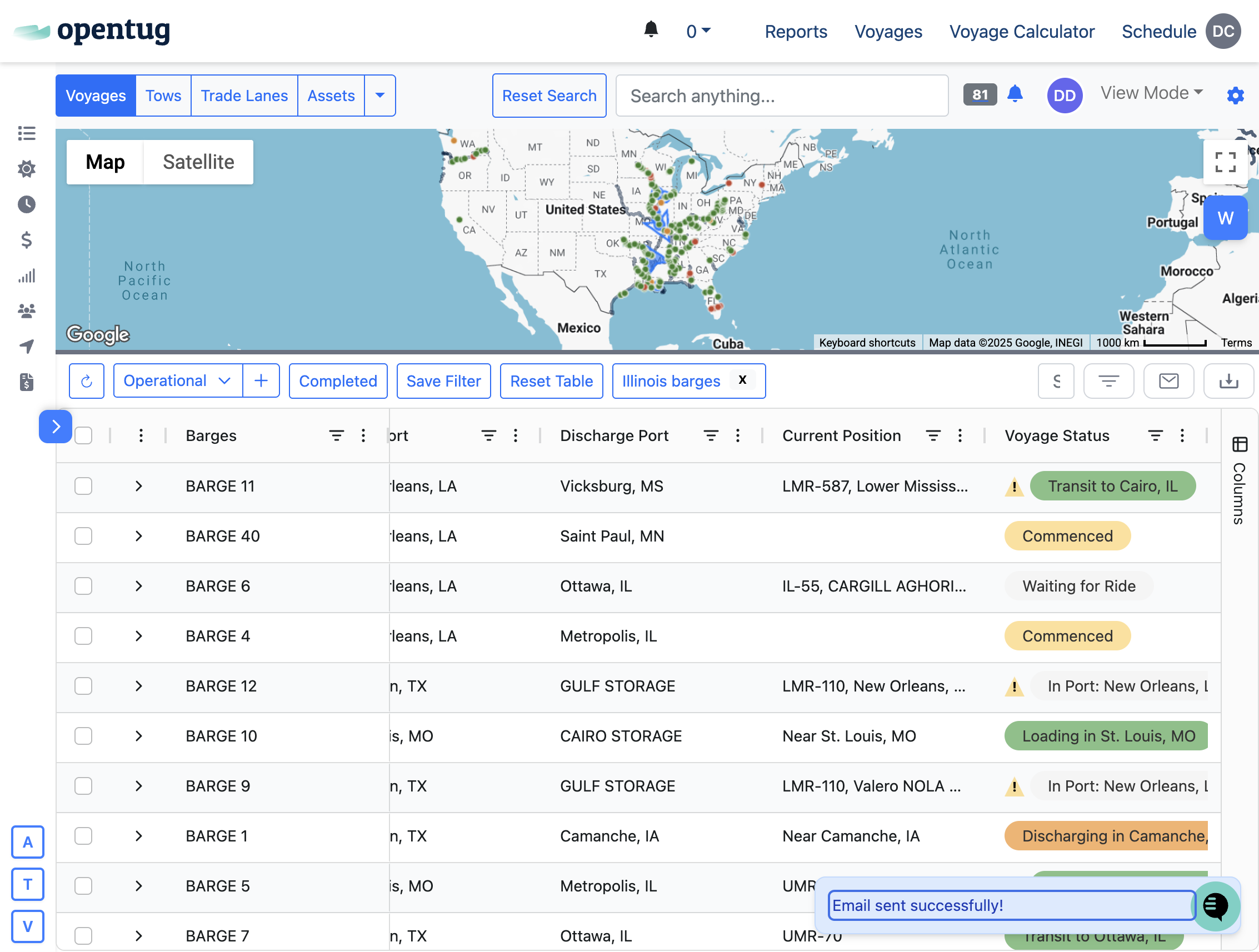
How to release a barge
Last updated: January 2, 2026
This tutorial enables you to release a barge and send the update to our counterparty.
In one action, you can record an event, update your dashboard, and send the update.
1.) Navigate to your voyage dashboard
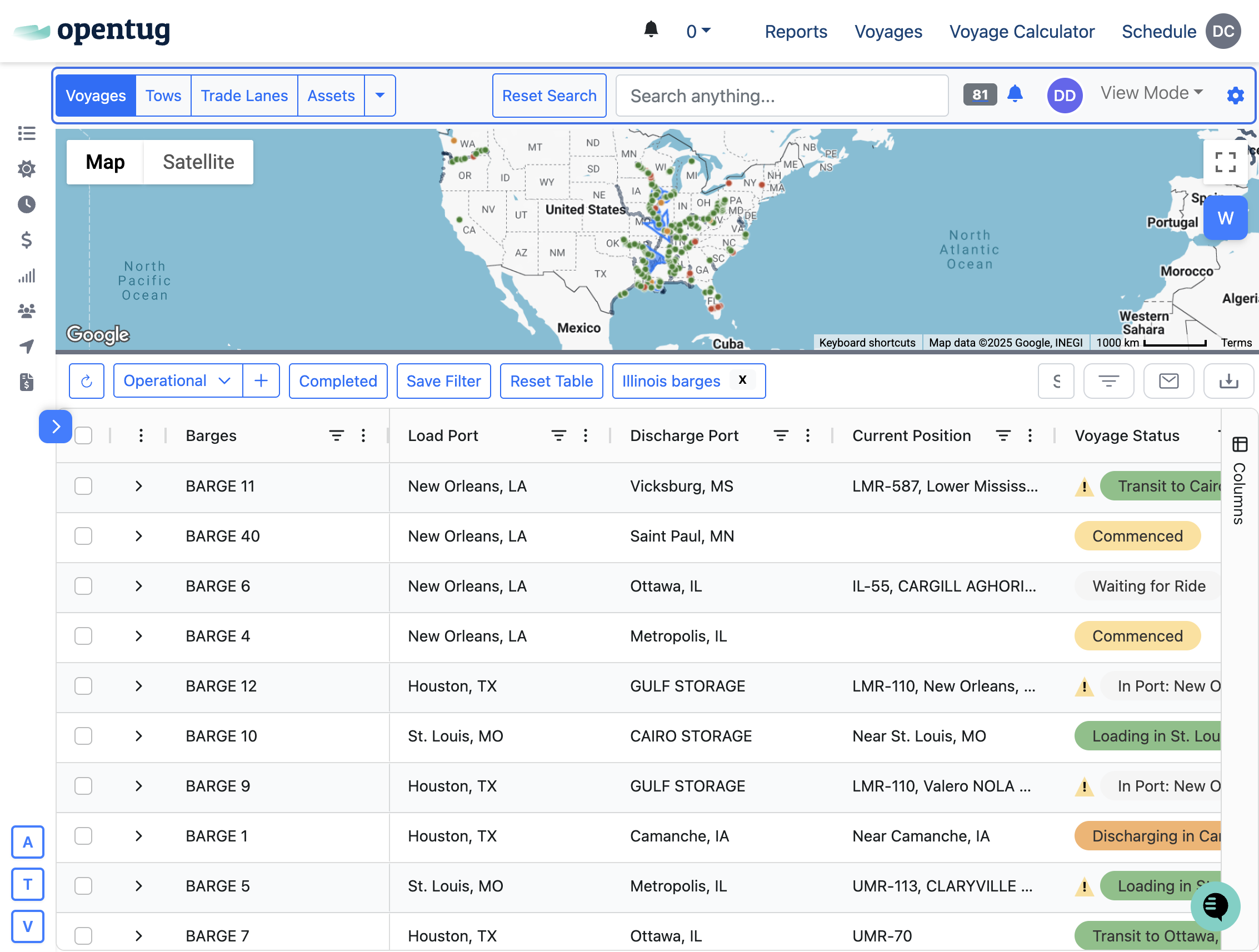
2.) Select the row you want to update and right-click to open the menu
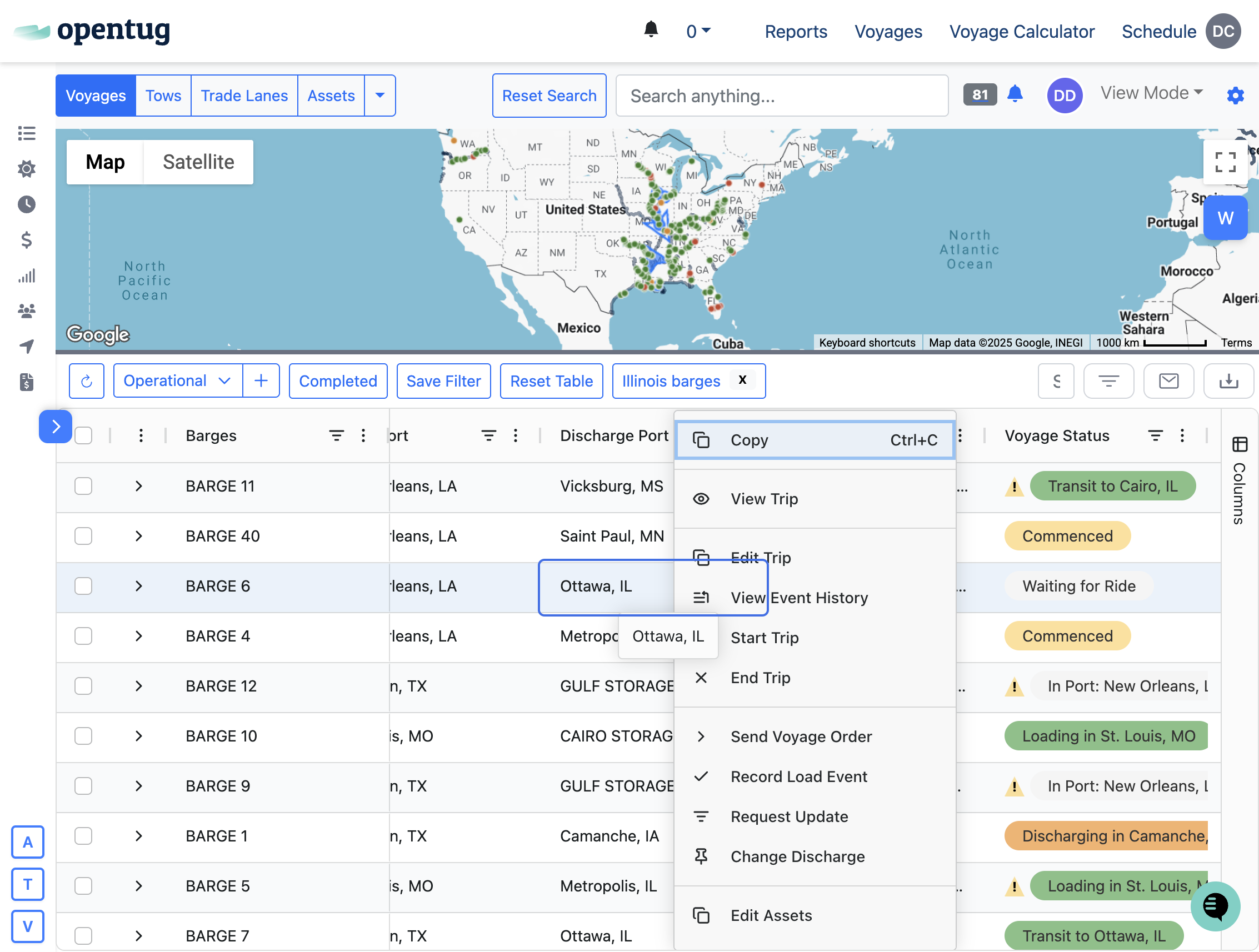
3.) Select the load event
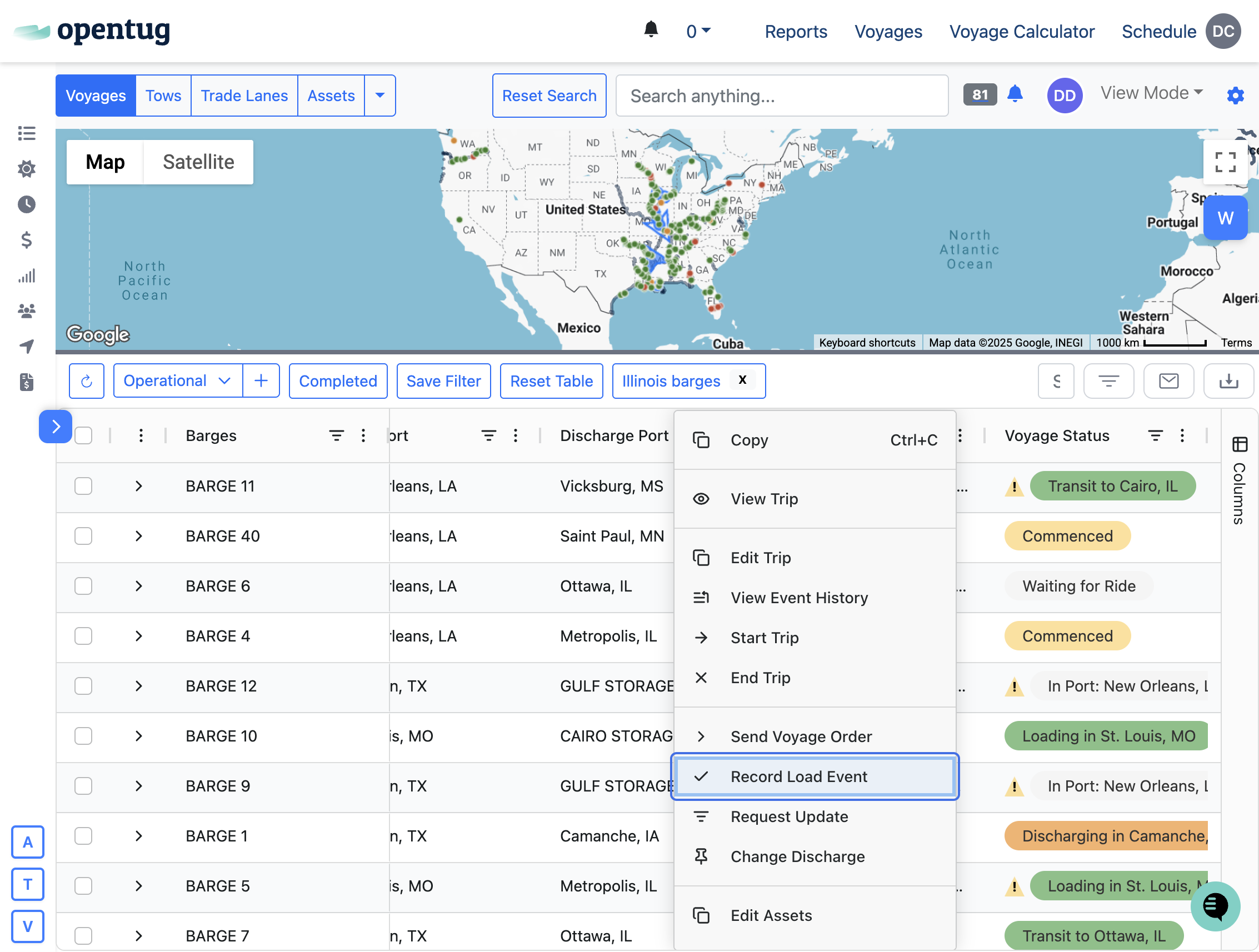
4.) Select Released Discharged from New State & set the time the event occured
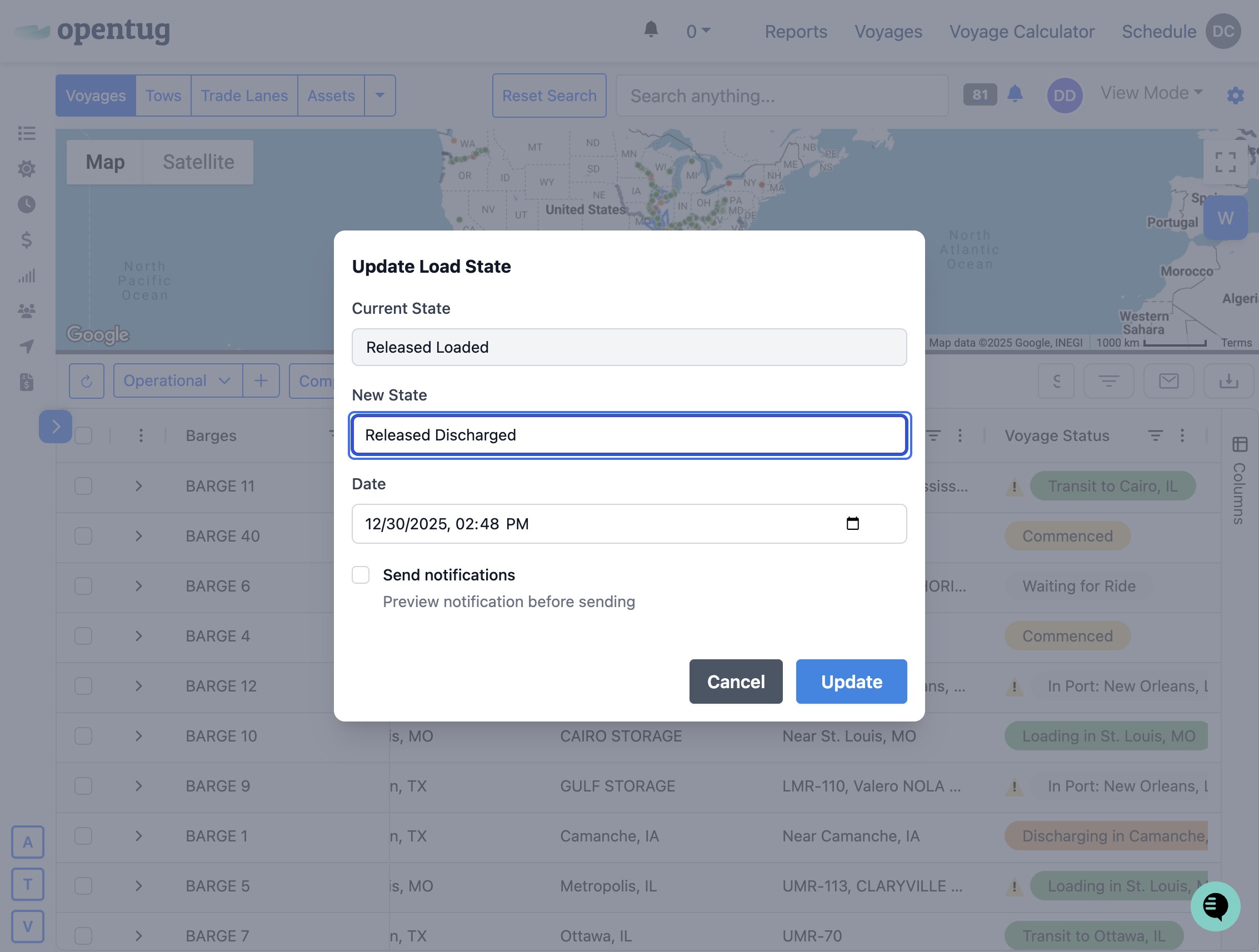
5.) If you wish to send a notification, select "send notifications"
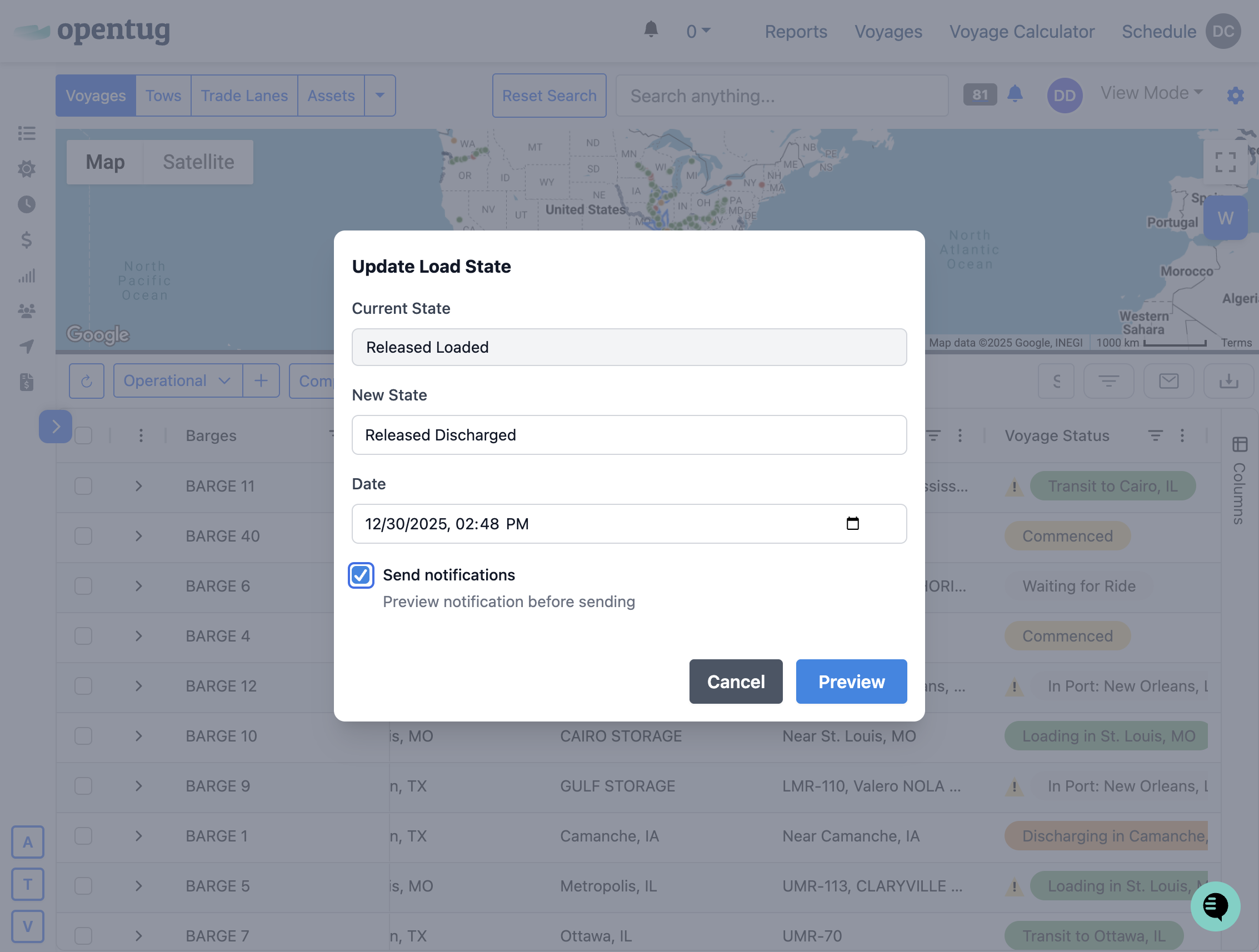
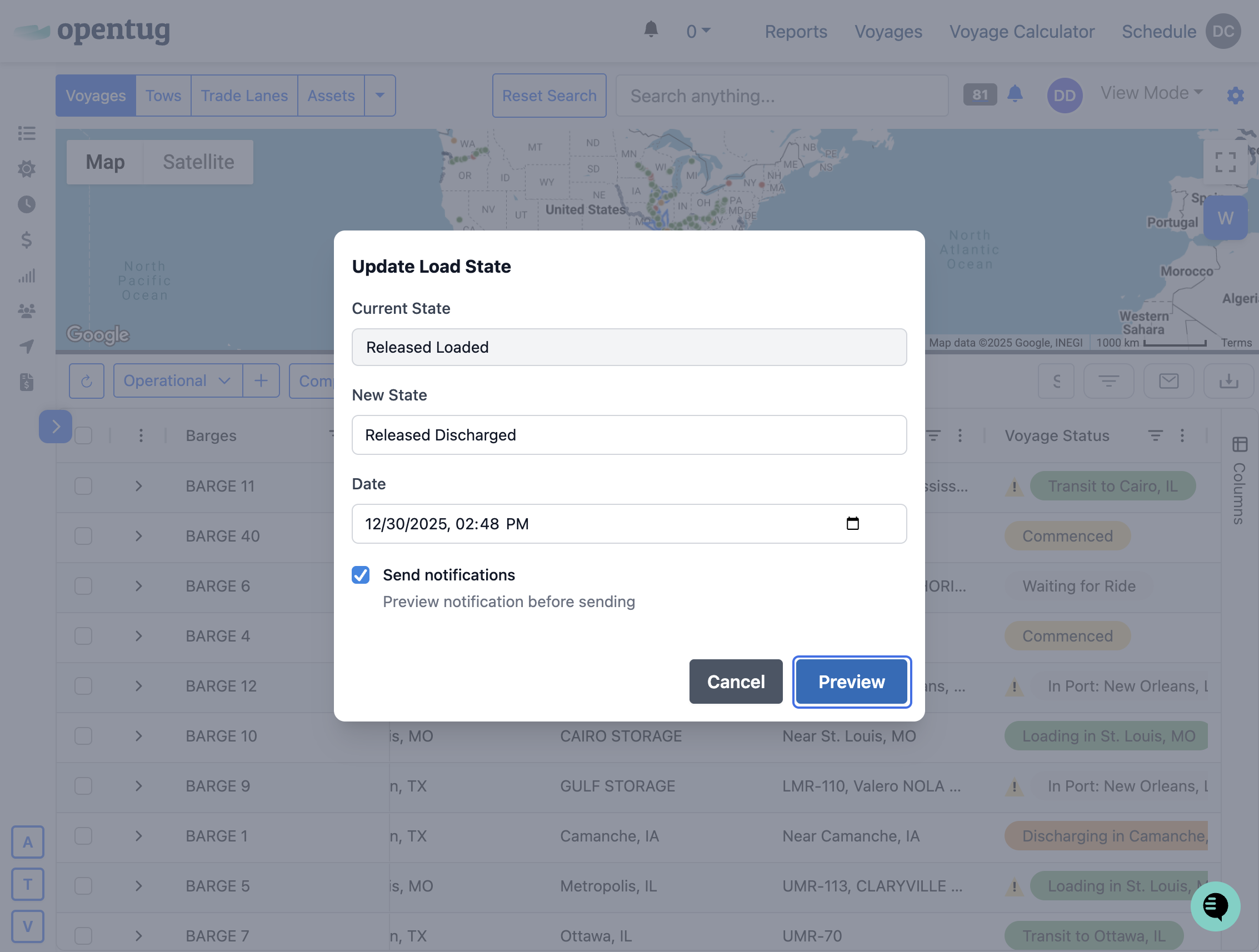
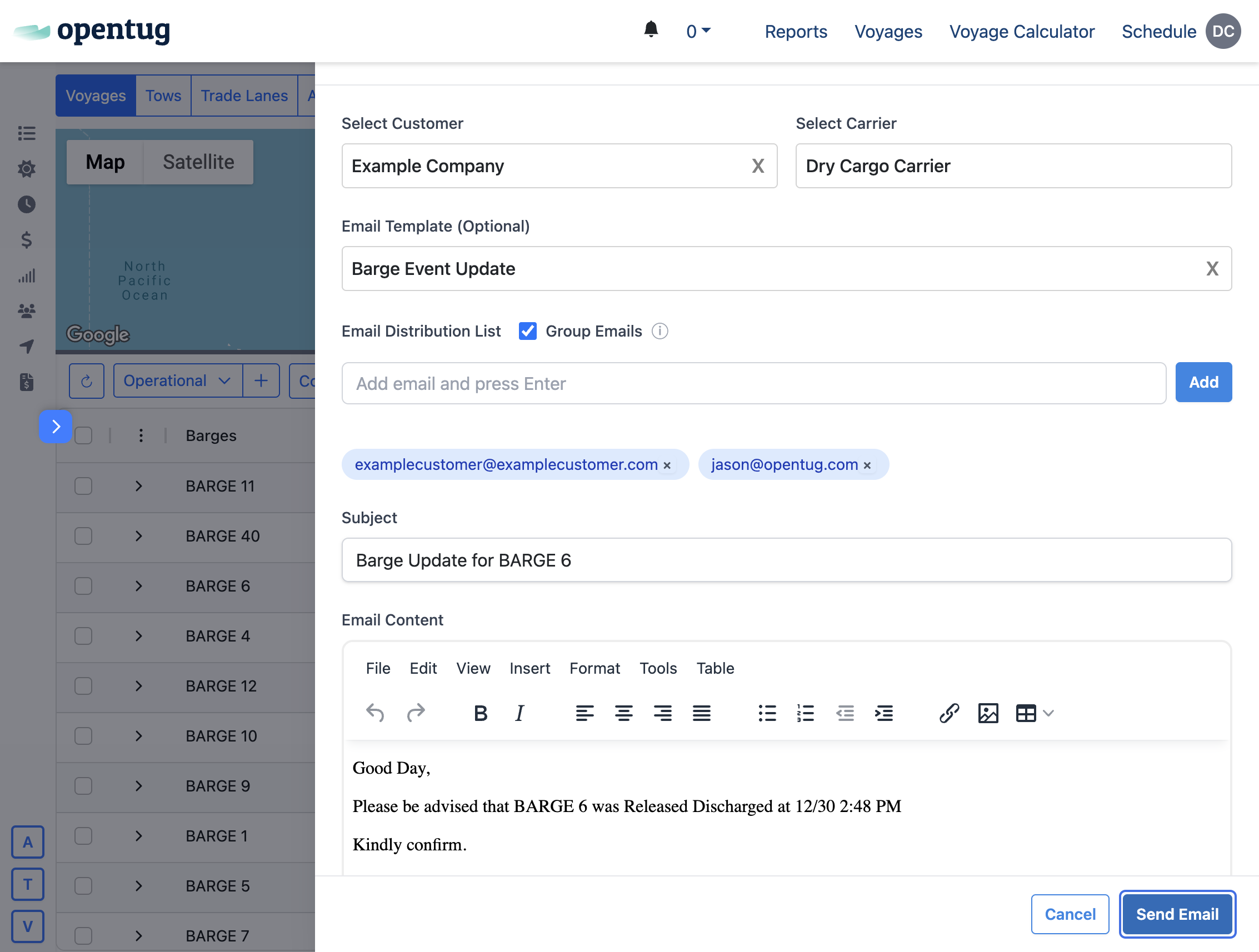
6.) Click on Preview to review the notification
7.) Review the update, modify recipients and type any desired message
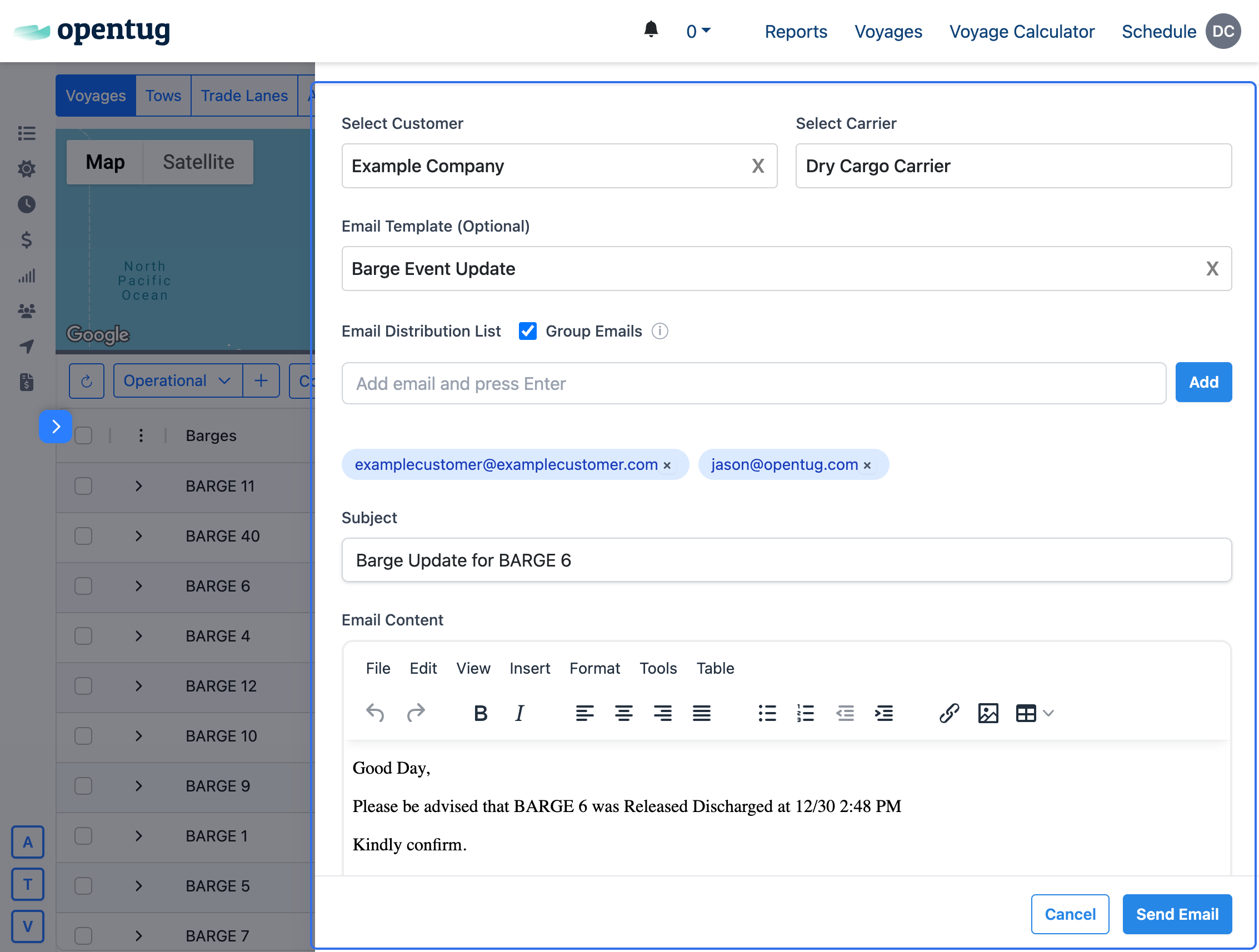
8.) Click on Send Email
8.) The Email notification has been sent successfully!