Request a barge update from a carrier
Last updated: January 2, 2026
1.) Navigate to your voyage dashboard
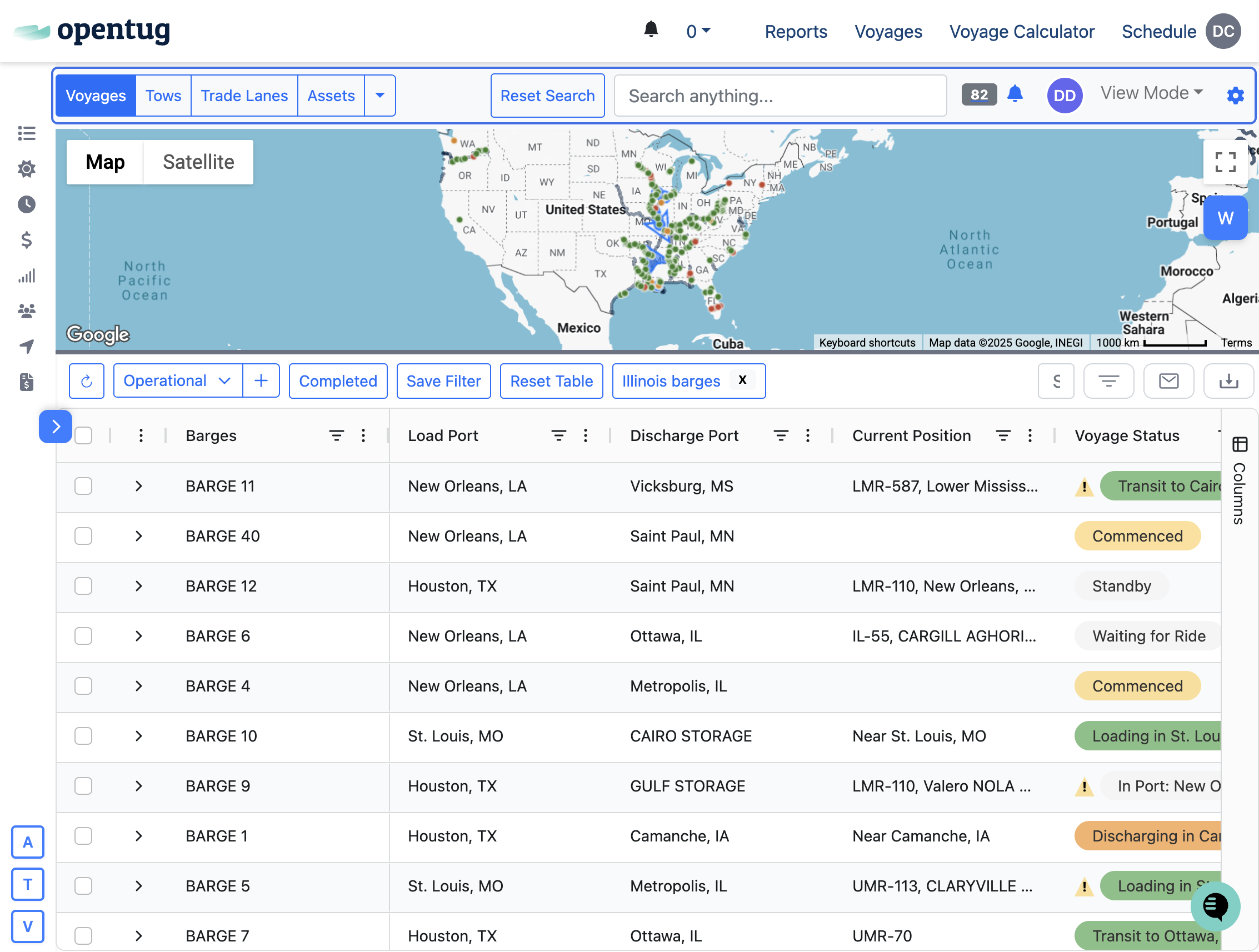
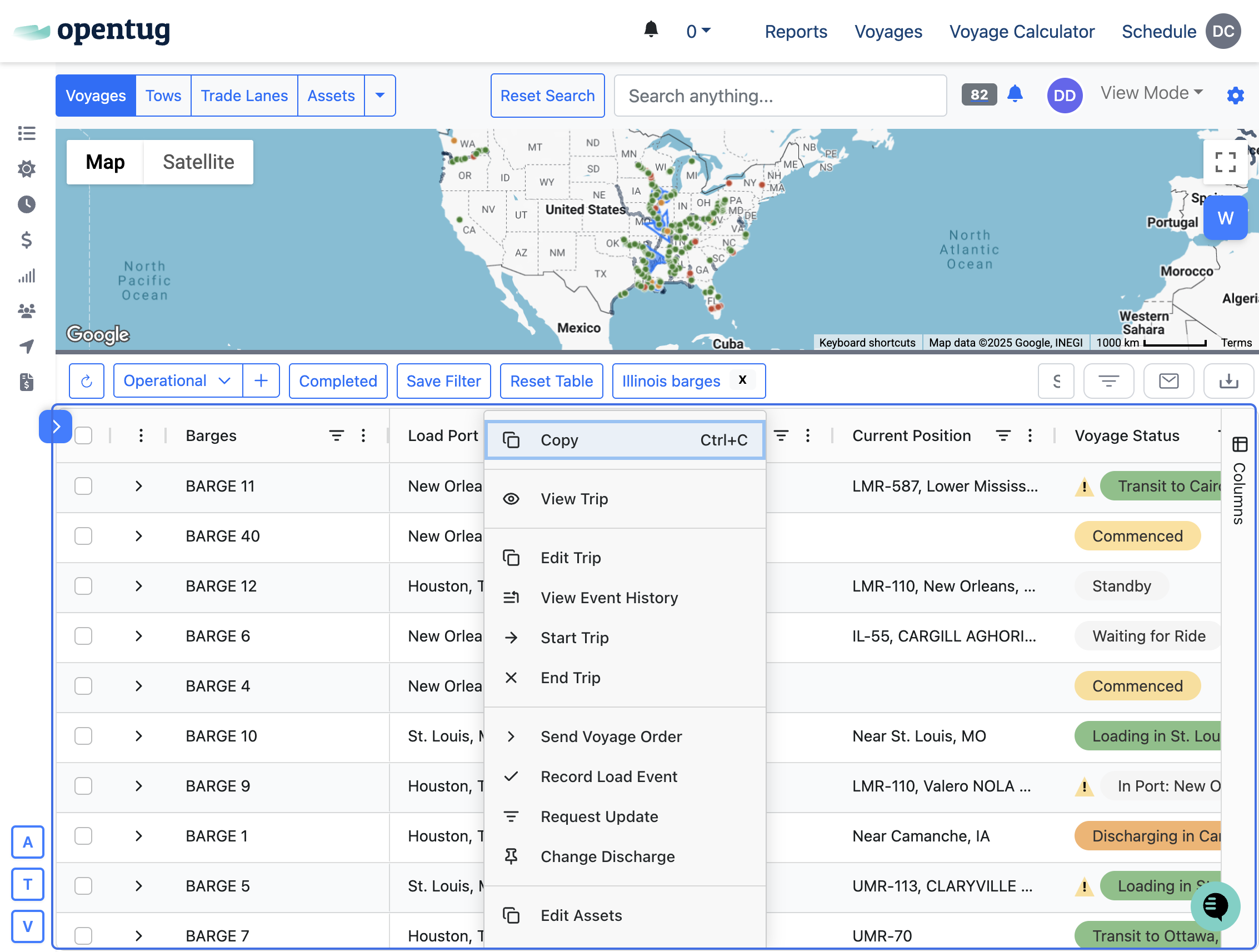
2.) Right-click the row you would like an update on
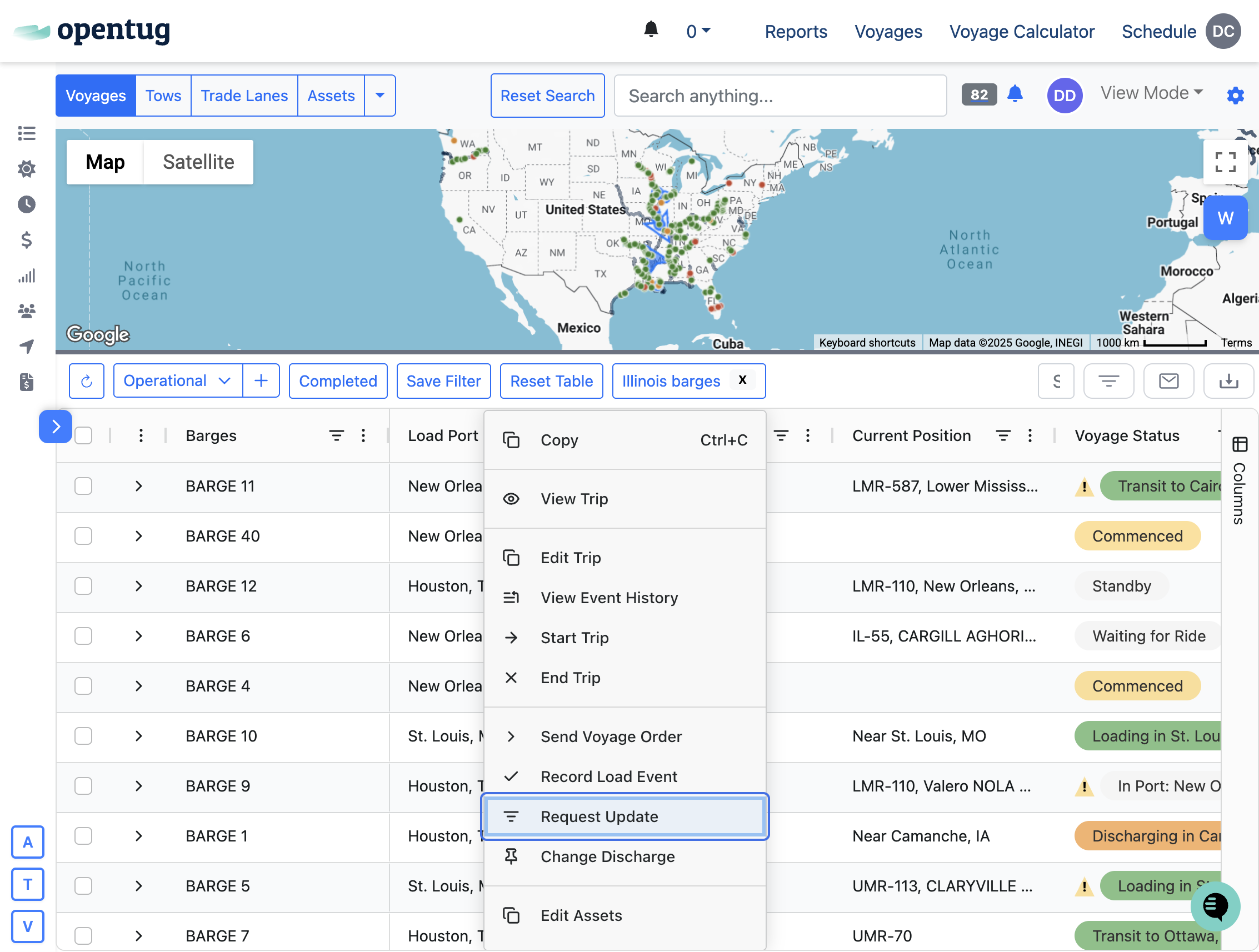
3.) Click on Request Update
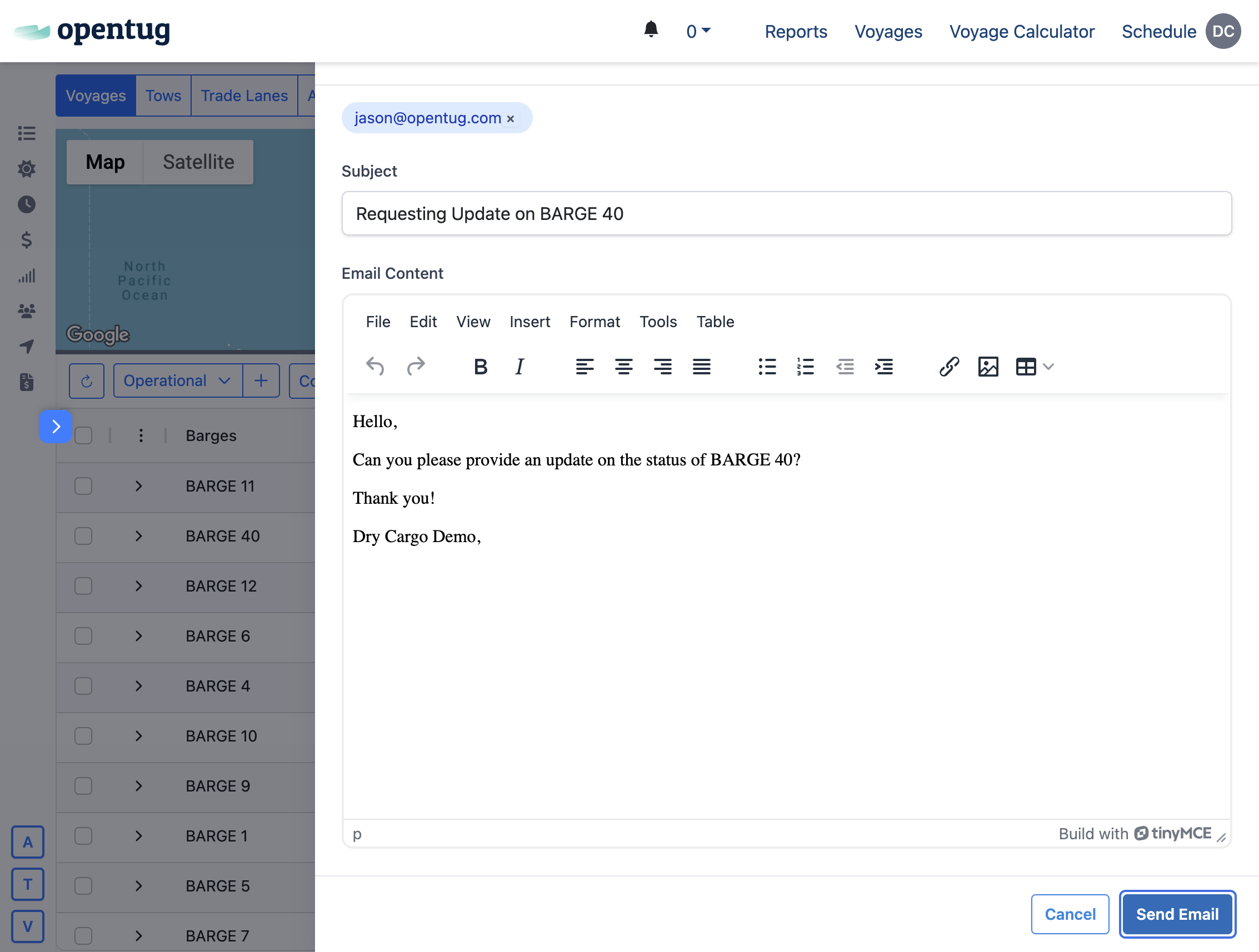
4.) An email drawer will open with the carrier's email selected
Preview the email and send the request to the carrier
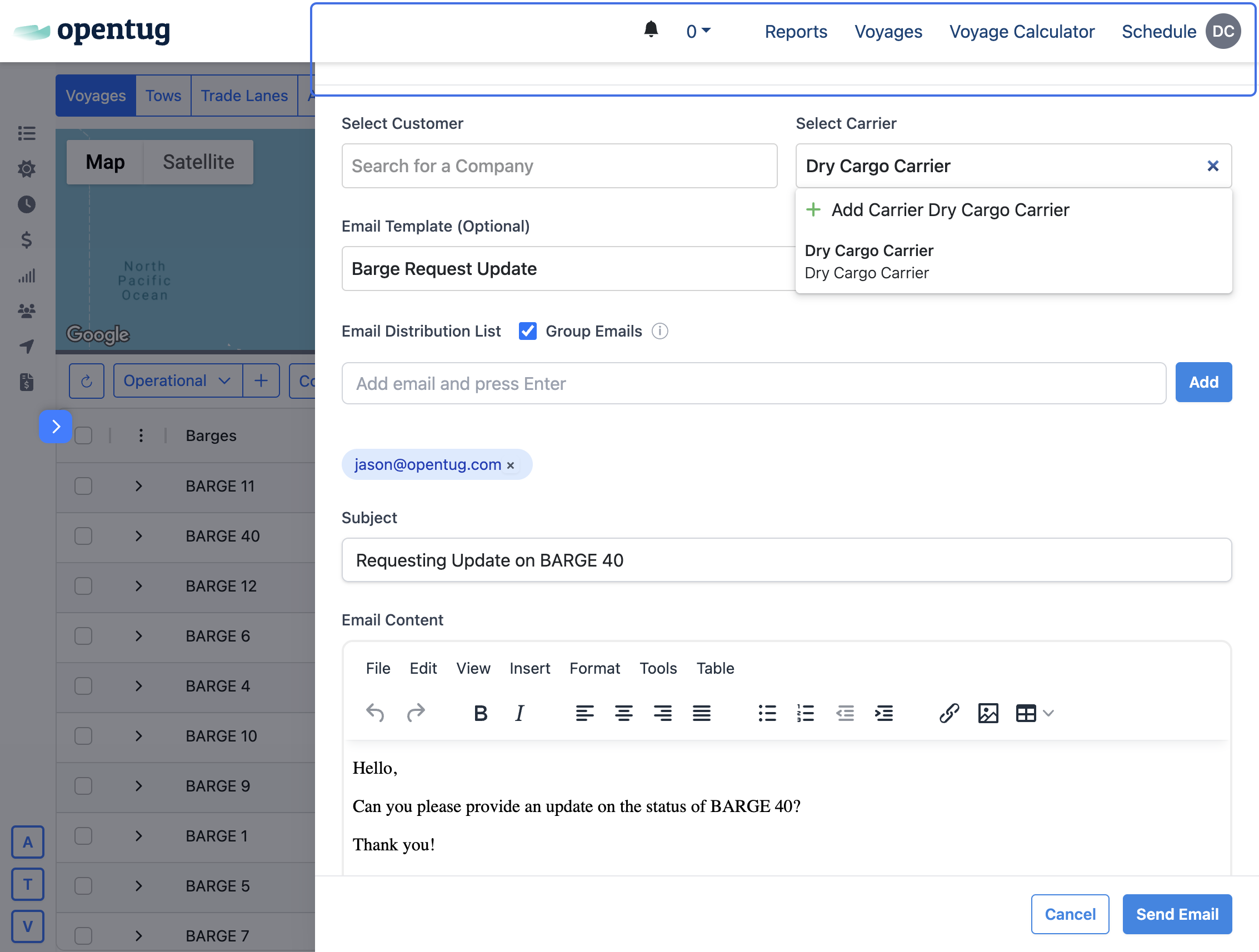
5.) Click on Send Email
6.) Response
The carriers response will go to your email and also update the platform