Creating Towing Tariffs
Last updated: April 22, 2025
Step 1: Open Towing Tariff
Generate a Linehaul route first (if not already created).
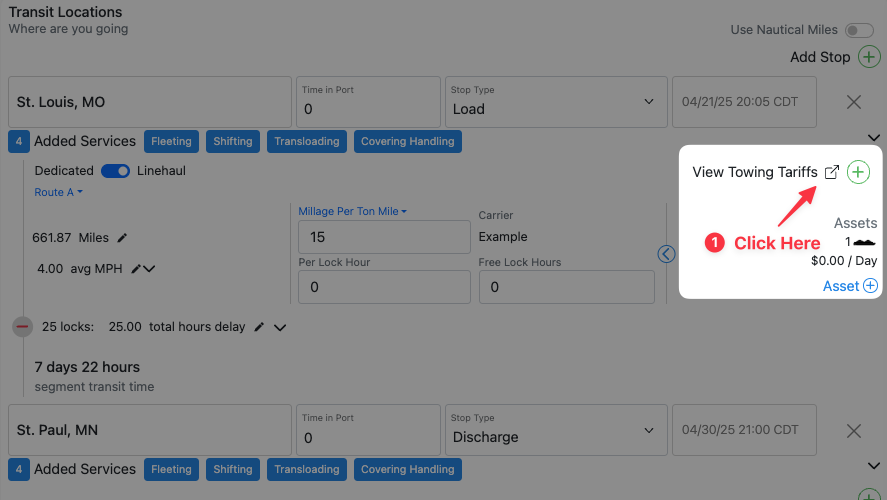
On your route, click View Towing Tariffs
Step 2: Add a New Tariff
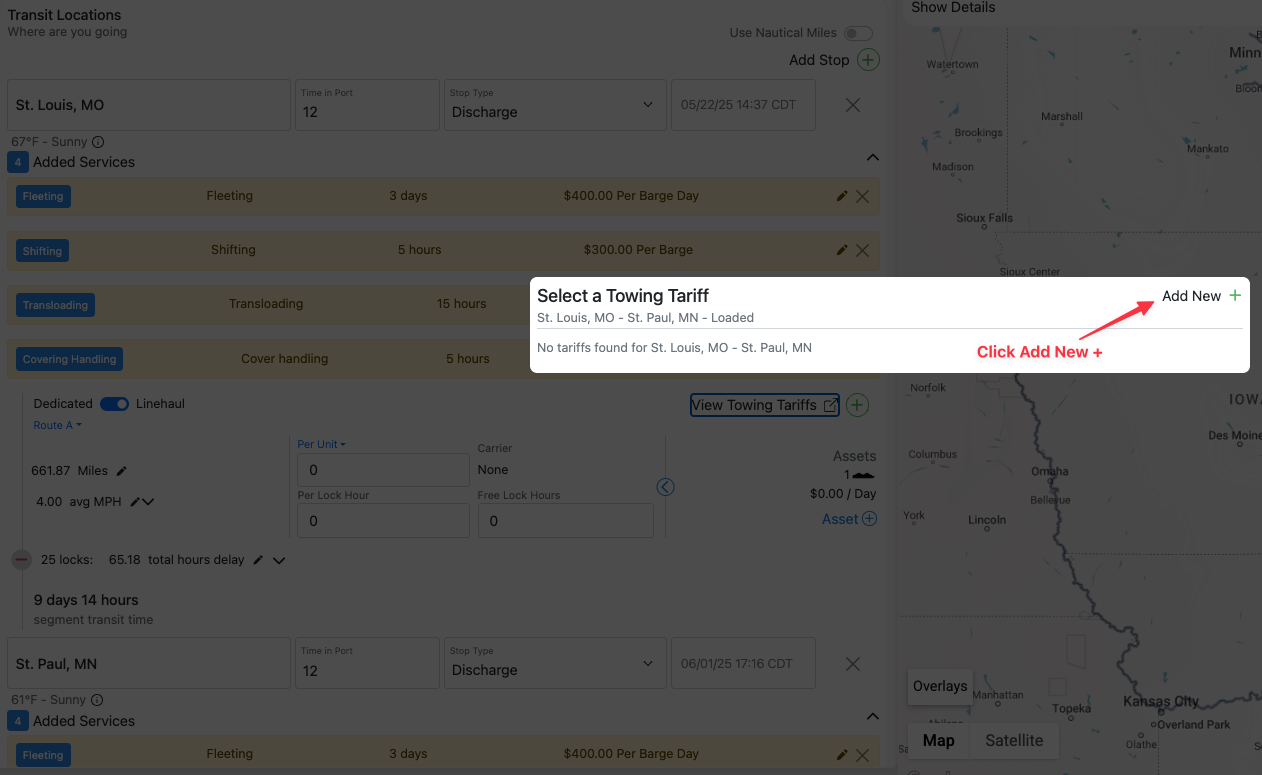
Select Add New +
Step 3: Enter Tariff Details
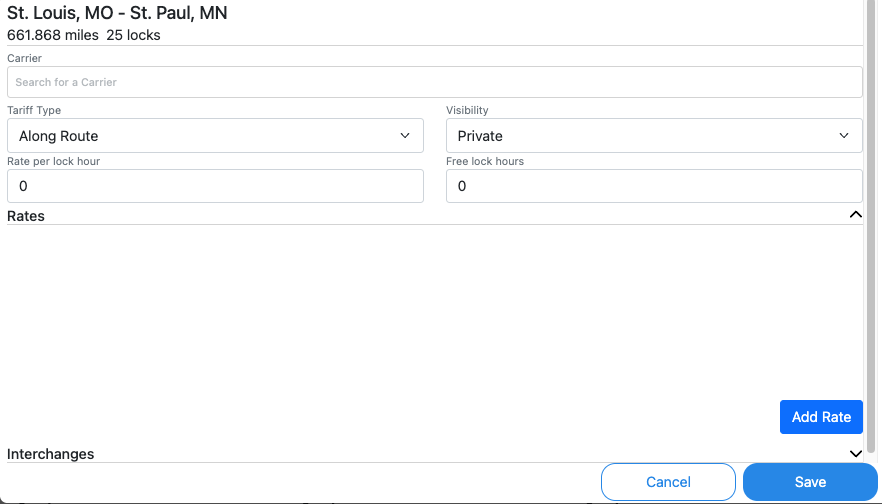
Select your Carrier, set Tariff Type, and choose Visibility
Step 4: Enter Rates
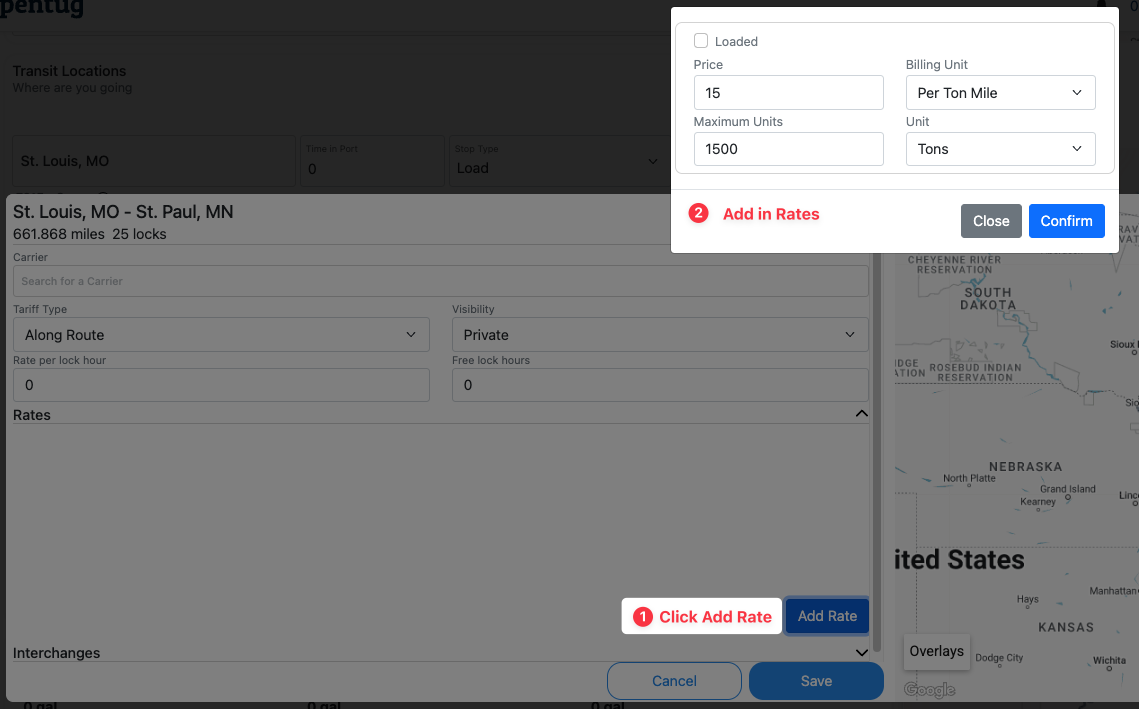
Click Add Rate
Input rate details (Price, Billing Unit, Maximum Units).
Click Confirm
Step 5: Verify Tariff
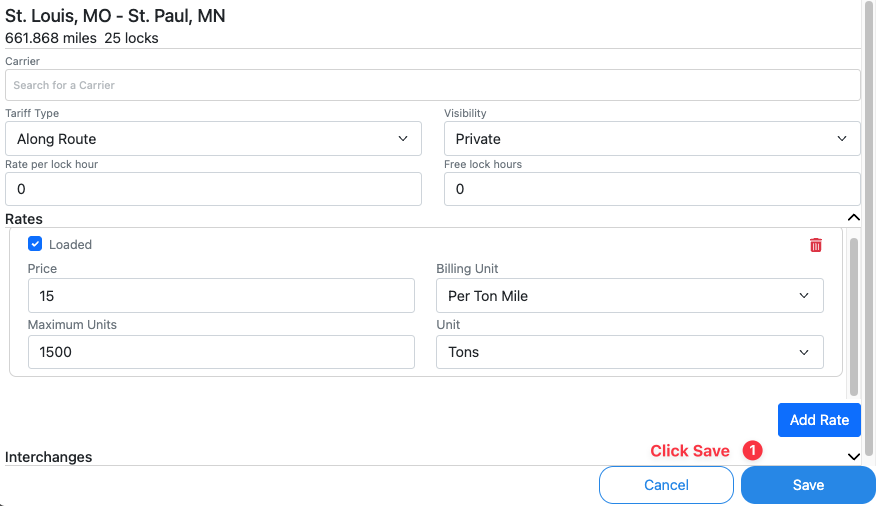
Review the tariff and click save.
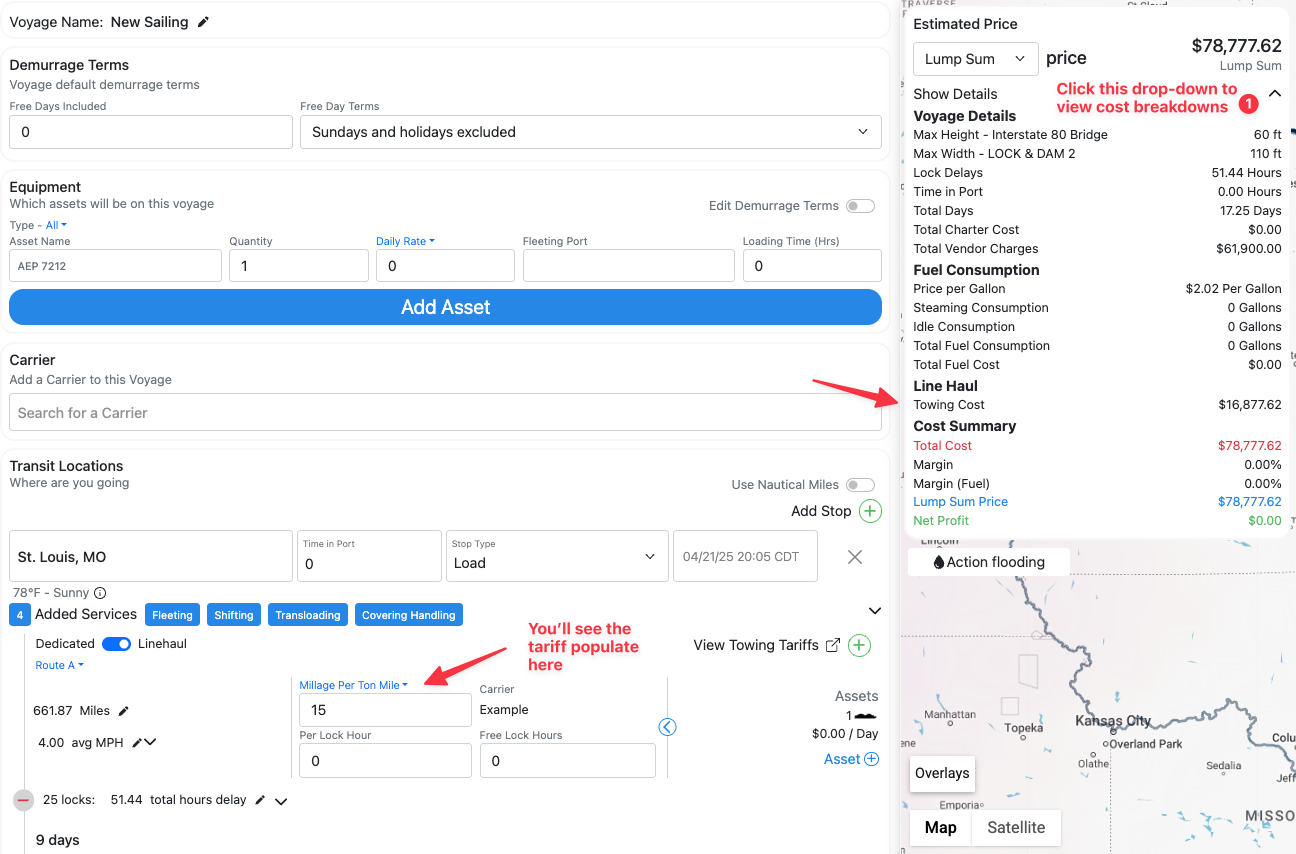
Double-check that the correct barge type is selected for your product. If it is, you'll see the tariff populate.
Final Step: Save Trade Lane
Scroll down, enable Save as Trade Lane, and click Plan Voyage.
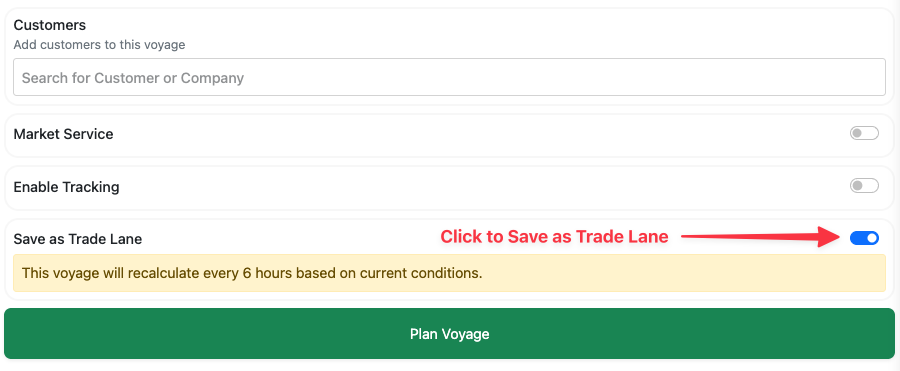
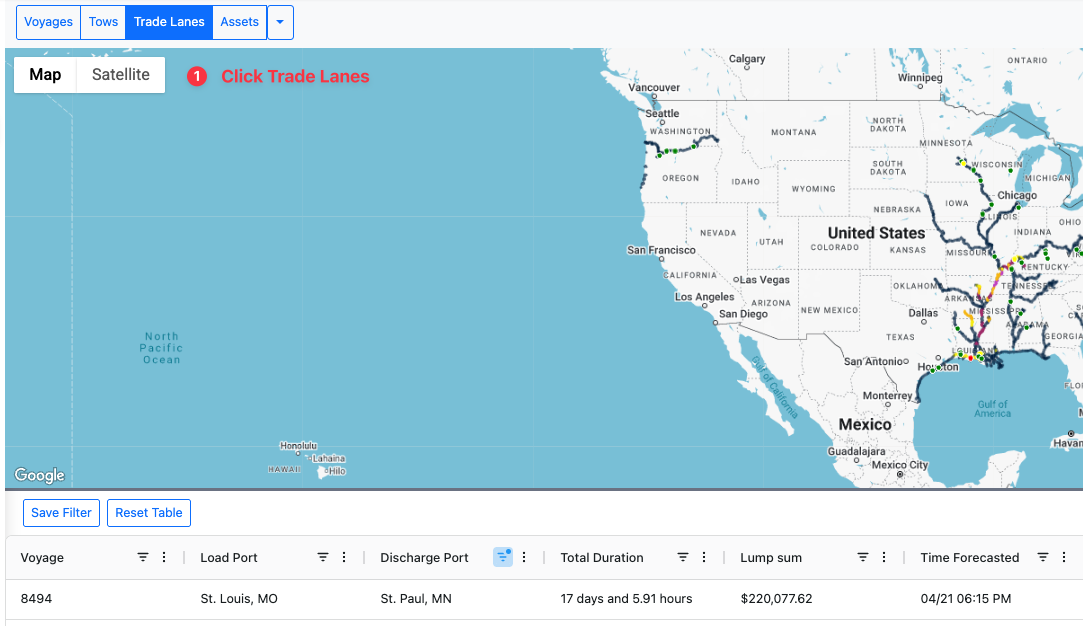
Your new trade lane will now appear in the Trade Lanes tab.