Editing Routes and Adding Waypoints
Last updated: March 11, 2026
OpenTug automatically generates a recommended route between transit locations when creating a voyage. In some cases, you may need to modify this route to better reflect the path your vessel will take.
You can adjust routes by adding waypoints directly on the map. Waypoints allow you to reroute around hazards, follow preferred shipping lanes, or customize the voyage path.
Once a route is adjusted, you can optionally save it as a reusable route for future voyages.
Editing a Route
Access the Route Editor
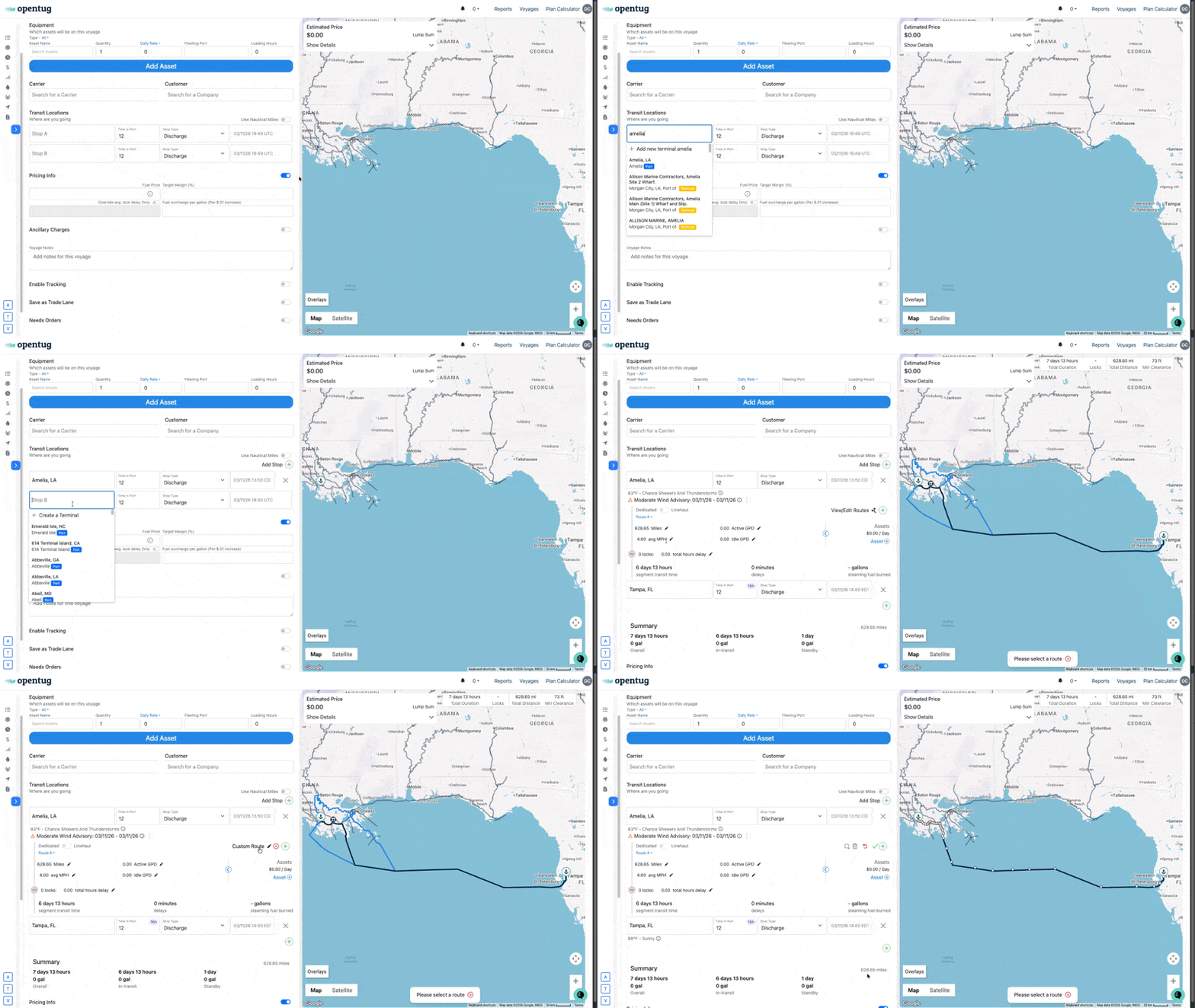
Routes can be edited directly within the Transit Locations section when creating or editing a voyage.
Navigate to the voyage planning screen.
Enter your Origin and Destination under Transit Locations.
The system will generate a default route on the map.
Click View/Edit Routes and Select Custom Route to begin editing.
The current route will appear on the map with editable route points.
Adding Waypoints
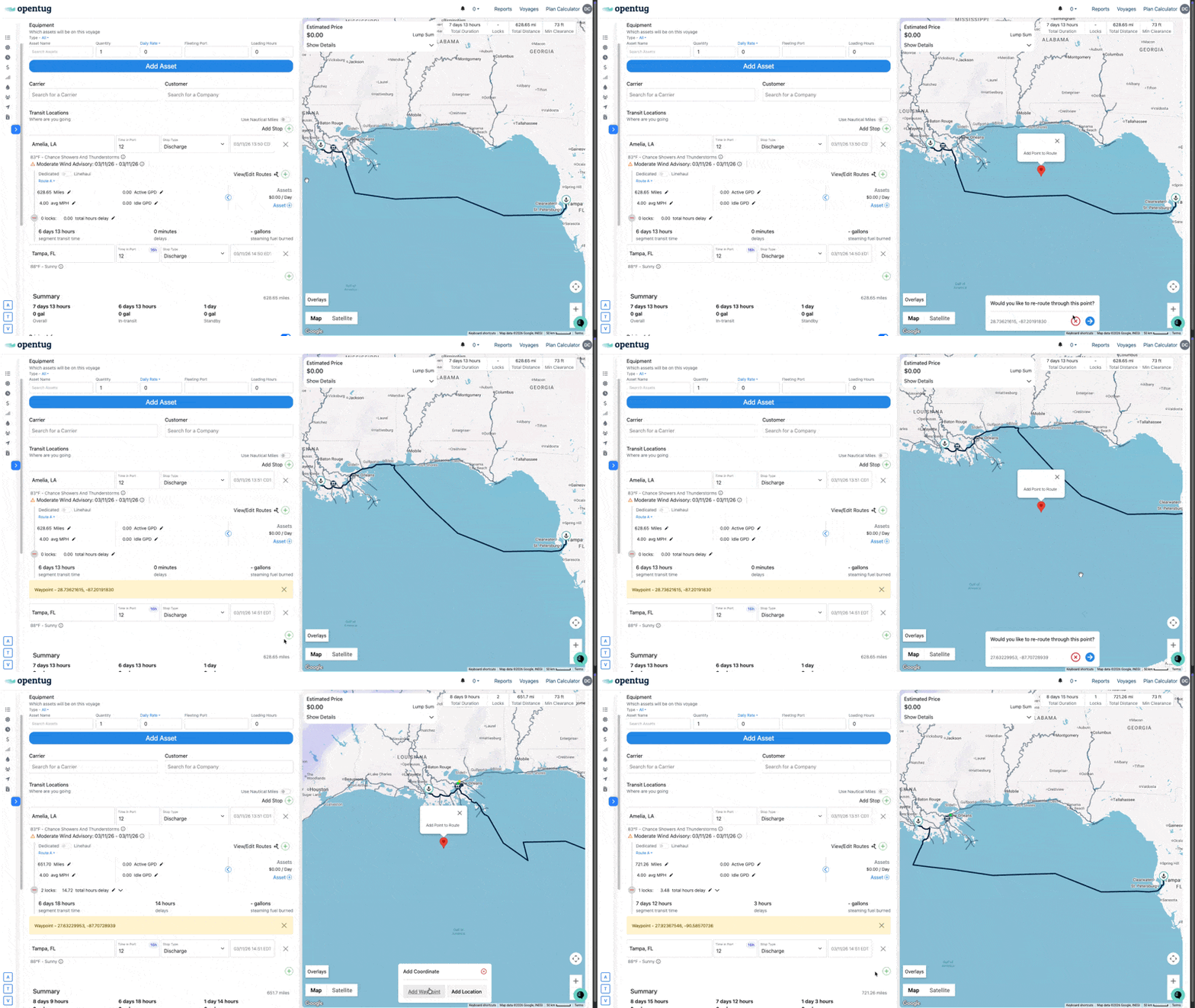
Waypoints allow you to adjust the route path by inserting intermediate routing points.
Add a Waypoint
Click anywhere on the route line on the map.
A prompt will appear asking if you want to re-route through this point.
Confirm the waypoint.
The system will update the route and insert a waypoint.
The waypoint will also appear in the Transit Locations panel as a coordinate entry.
This waypoint becomes part of the voyage route and will adjust the total distance and duration calculations.
Adjusting the Route Shape
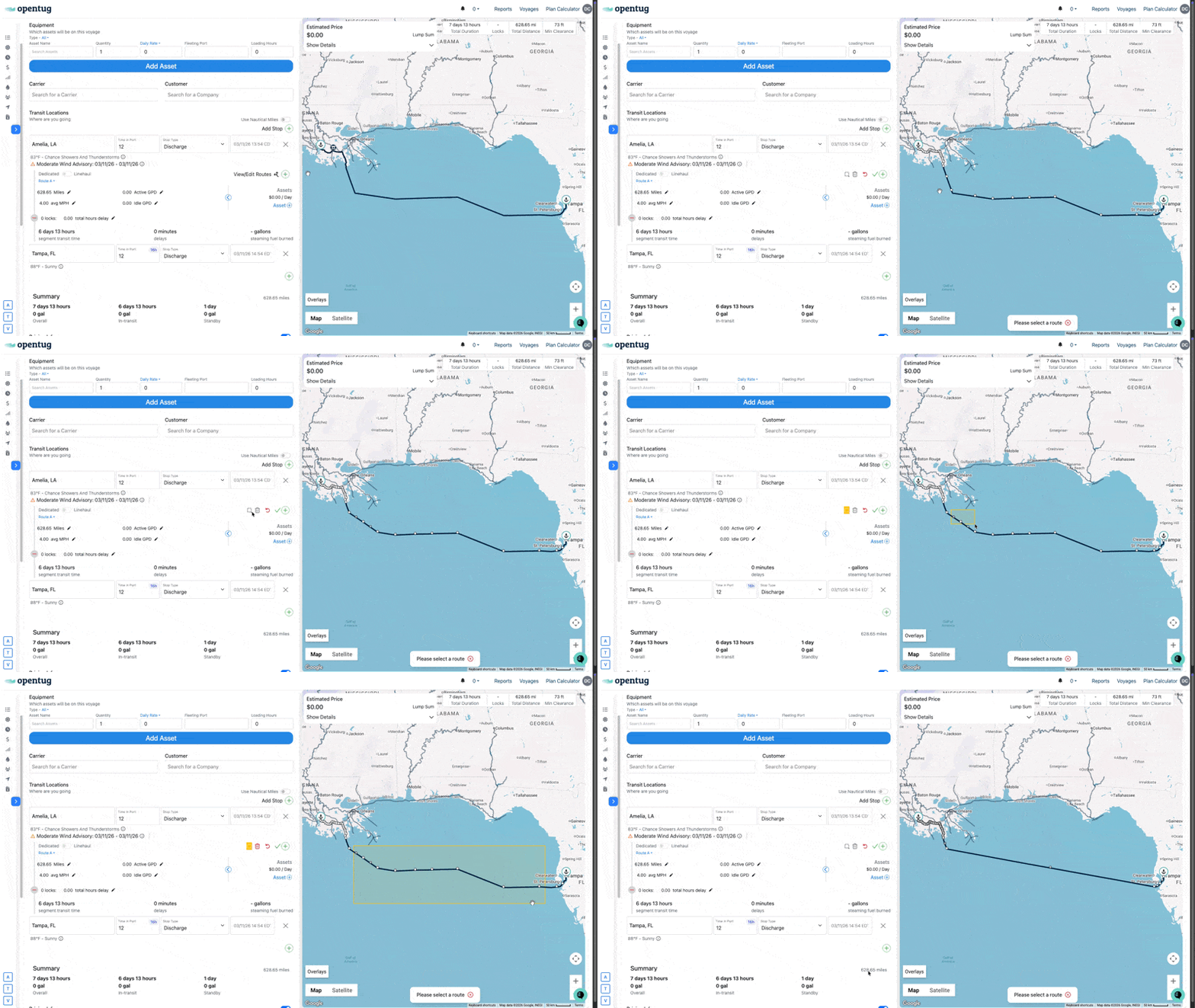
After selecting custom route, the route will display editable route points.
You can refine the route further by:
Dragging individual points
Bulk deleting points to create a straight line between the markers on either end
Saving Custom Routes
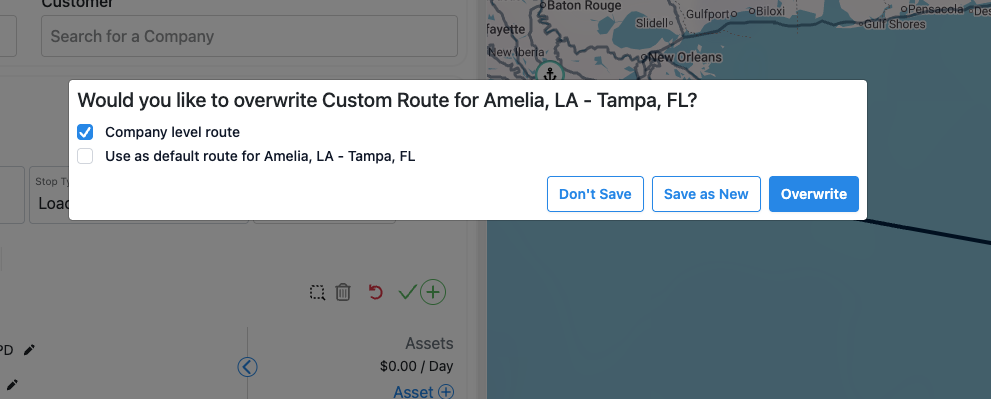
If you create a route you want to reuse later, you can save it as a custom route.
Save a Route
After editing the route, click the Save Route option.
A dialog will appear asking if you want to add the route to your options.
Enter a name for the route.
Example:
Custom Route for New Orleans, LA – Tampa, FLWhen saving a route, you may also choose:
Company Level Route
Sets the route as the default route origin/destination pair for all users within your organization.
Default Route
Sets the route as the default route origin/destination pair for the user.