Start Tracking a Voyage from the Voyage Dashboard
Last updated: March 26, 2025
Start tracking a voyage
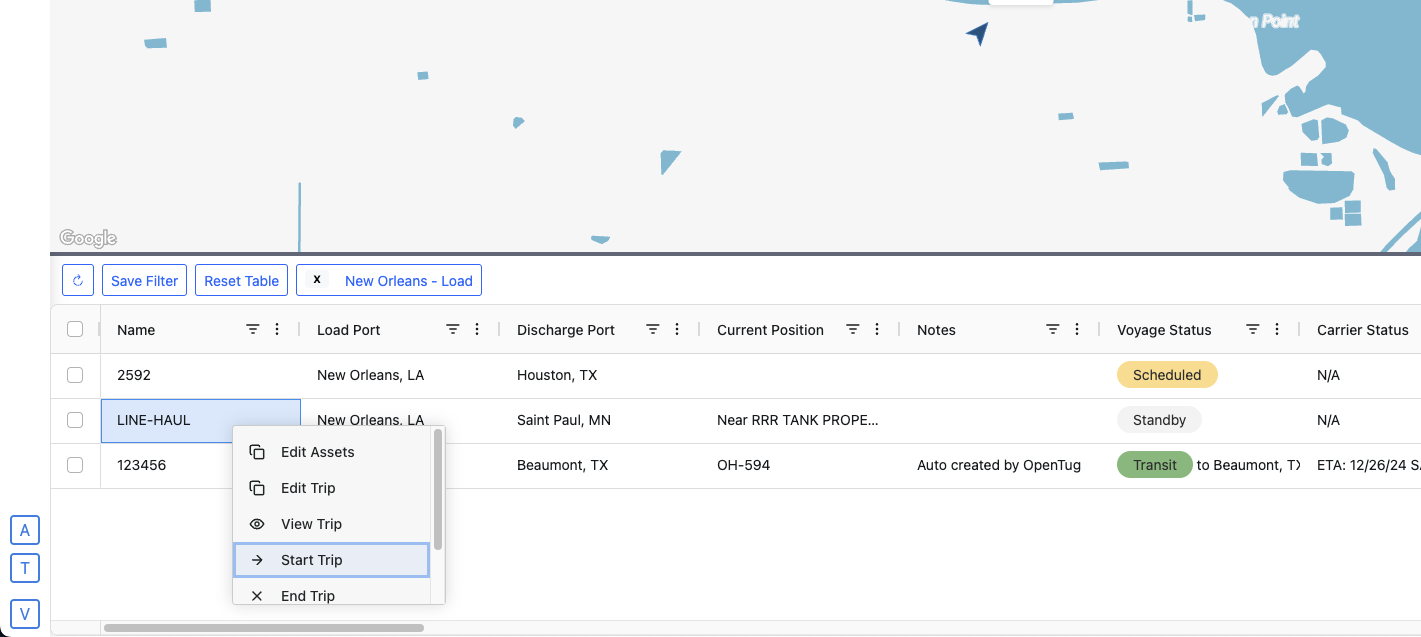
To start tracking a voyage from the dashboard, right click the row of the desired voyage and select Start Trip
Tracking Options
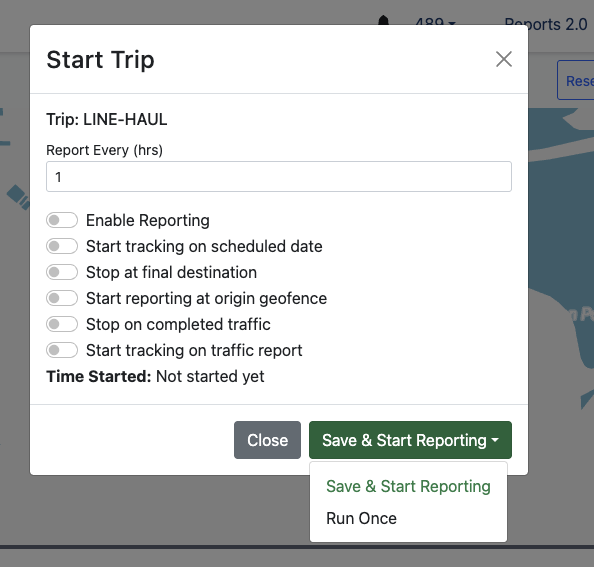
Here you can adjust the settings for how you would like to track and report on the selected voyage.
Report frequency
Enable reporting
Start tracking on scheduled date
Stop on final destination
Start reporting at origin geofence
Stop on completed traffic
Start tracking on traffic report
Time Started
After you have made your selections, click Save and Start Reporting