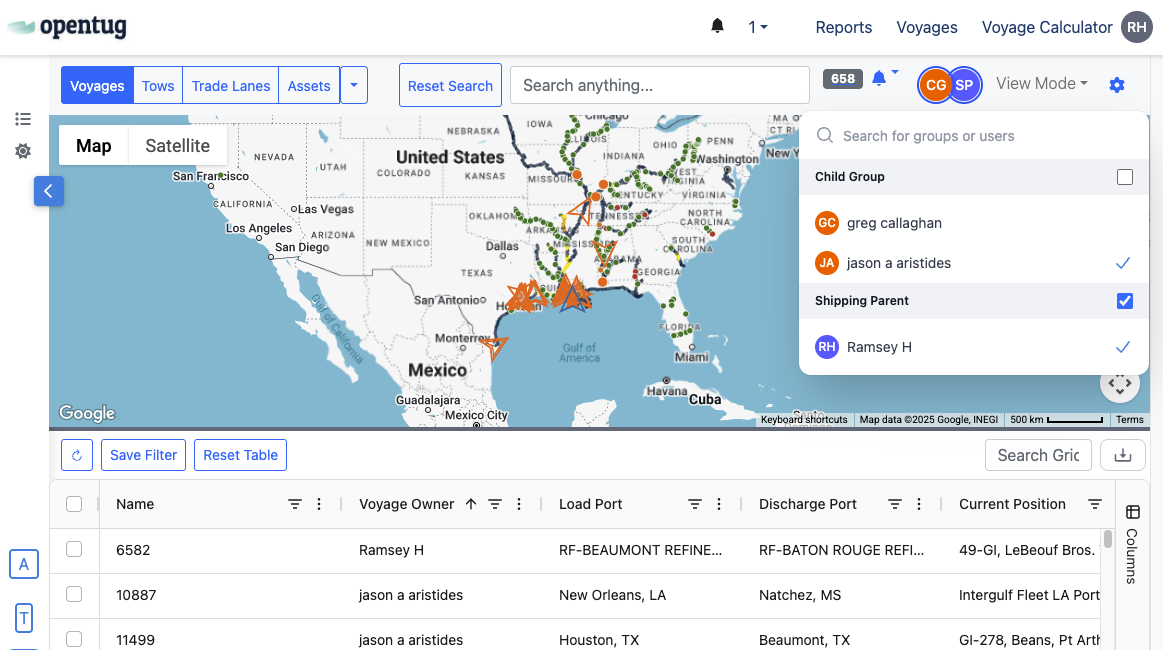
View Team Voyages
Last updated: June 5, 2025
The Voyage Dashboard enables you to gain complete visibility to not only your Voyages, but also Voyages owned by others in your Organization. To adjust the voyages that are shown in your grid and map view, use the Group Visibility Selector in the top right corner of the Voyage Dashboard.
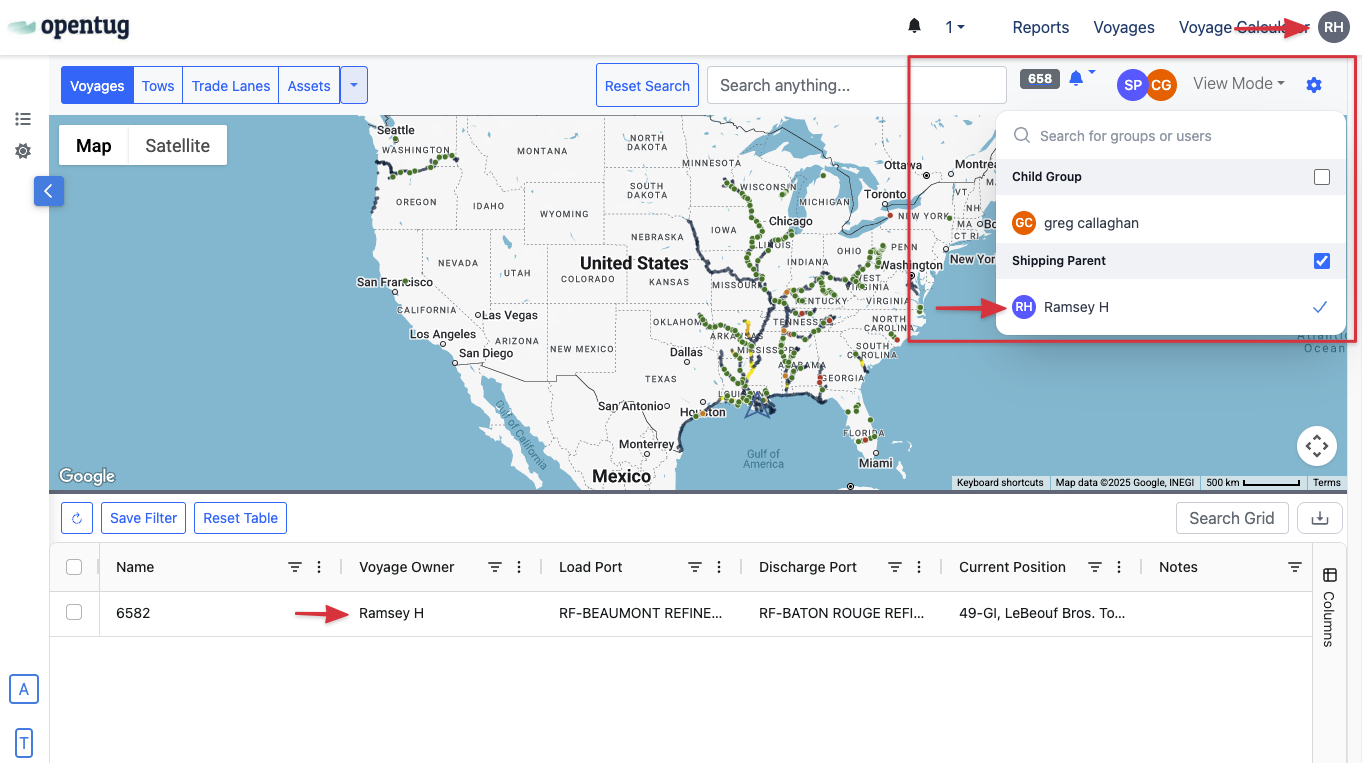
By default, the current user is selected, however using the selector you are able to add other users in your group to the dashboard, along with other groups from your organization. Selections in the Visibility Selector are saved, and the next time this dashboard is loaded, the last visibility selection will be loaded.
The Groups shown in the Visibility Selector are shown based on your visibility to other Groups in your Organization. If the selector is not shown in your Dashboard, you don't have visibility to any other Groups. Contact your Organization Admin if you believe this is a mistake.
After another User or Group is selected, that data will be shown in your Voyage Dashboard. Markers on the map are colored by Group, and the owner is shown in the Grid in the Voyage Owner column. The Visibility Selector highlights the currently selected Groups.