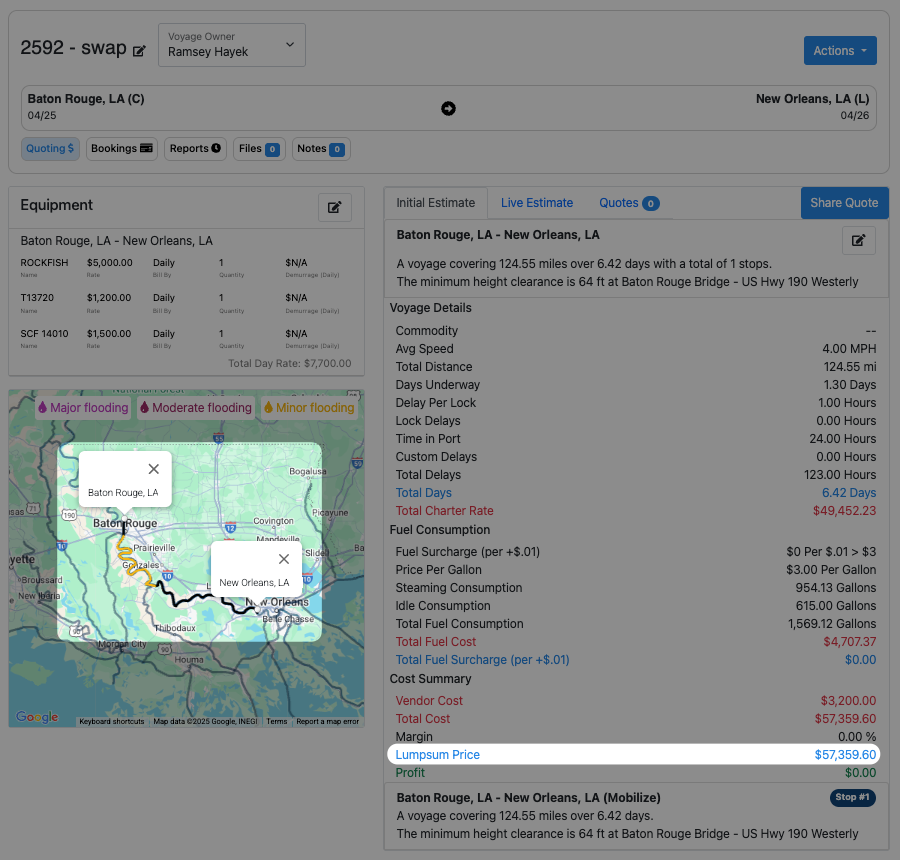
Barge Swap
Last updated: April 25, 2025
Overview
The Barge Swap feature lets you record swaps and calculate empty repositioning savings.
Step 1: Initiate Swap
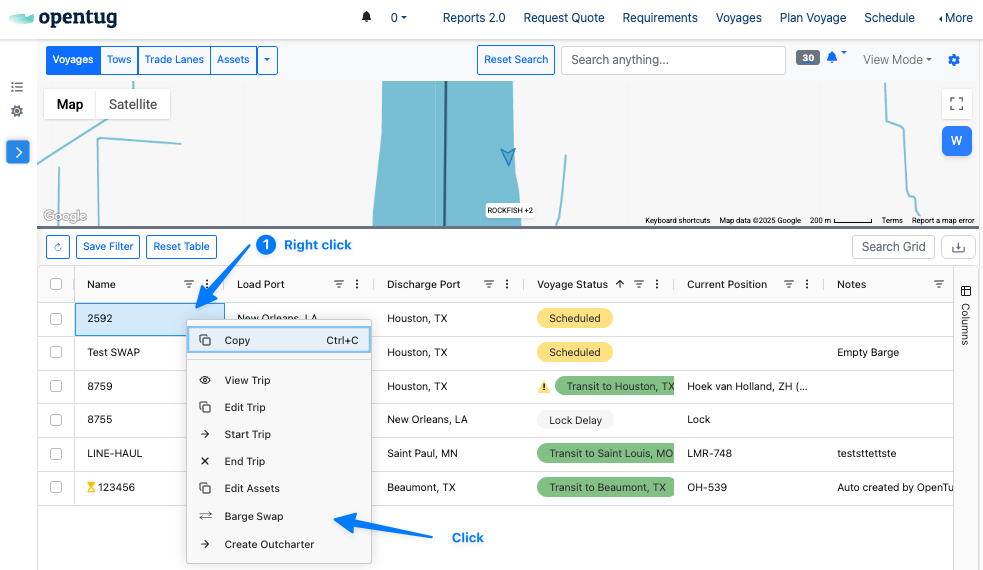
From the Voyage Dashboard, locate the barge you want to swap.
Right-click the voyage row and select "Barge Swap" from the dropdown menu.
Step 2: Enter Swap Location
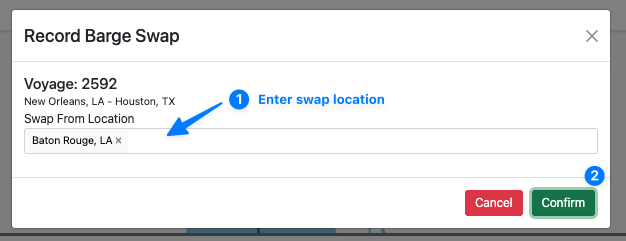
Type in the Swap From Location where you want the new barge to take over the voyage. Then click Confirm.
Step 3: See Cost Savings
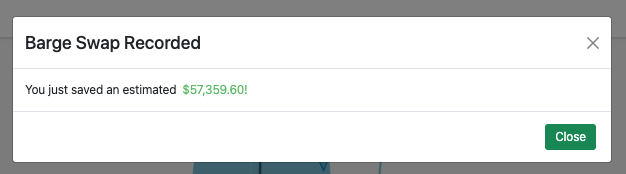
Once confirmed, a green success message will appear showing how much was saved by swapping barges at the selected location.
This estimate is based on the cost difference between the original route and the new one calculated from the swap point.
Step 4: Review the New Voyage (Optional)
You'll now see the new swapped voyage in the dashboard, labeled as a derivative of the original voyage name with " - swap" next to it.

Step 5: Understand the Savings (Optional)
Opening the new voyage shows the updated route, duration, and cost breakdown.
These adjustments are what contributed to the savings shown earlier.